2. Ensure that the cables are routed correctly before reinstalling the computer cover. Keep cables clear of
the hinges and sides of the computer chassis to avoid interference with reinstalling the computer cover.
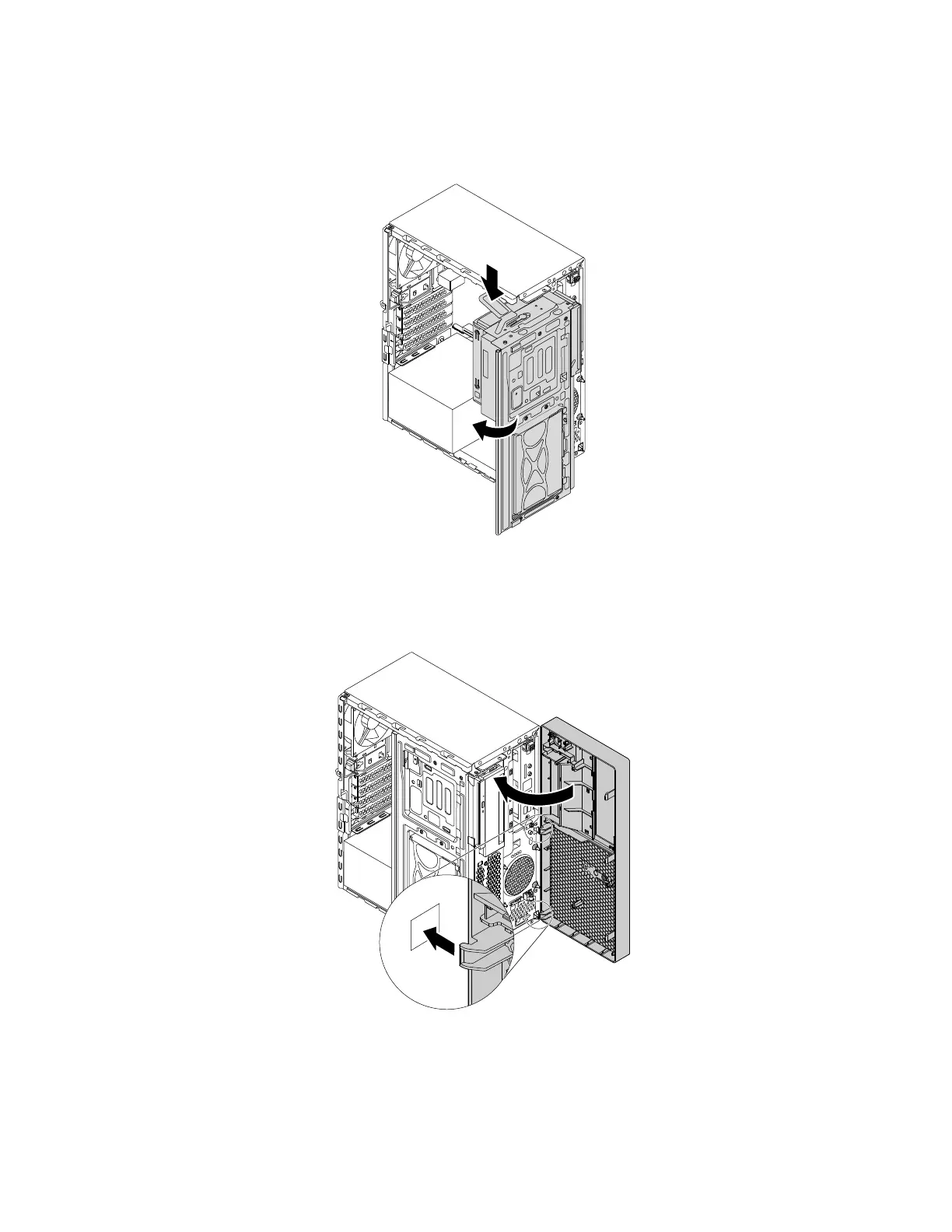
3. Press the release tab as shown and pivot the drive bay assembly inward until it snaps into position.
Figure 176. Pivoting the drive bay assembly downward
4. To reinstall the front bezel, first align the three plastic tabs on the front bezel with the corresponding
holes in the chassis. Then pivot the front bezel inward until it snaps into position.
Figure 177. Reinstalling the front bezel
188 P330 Hardware Maintenance Manual














 To Next Page