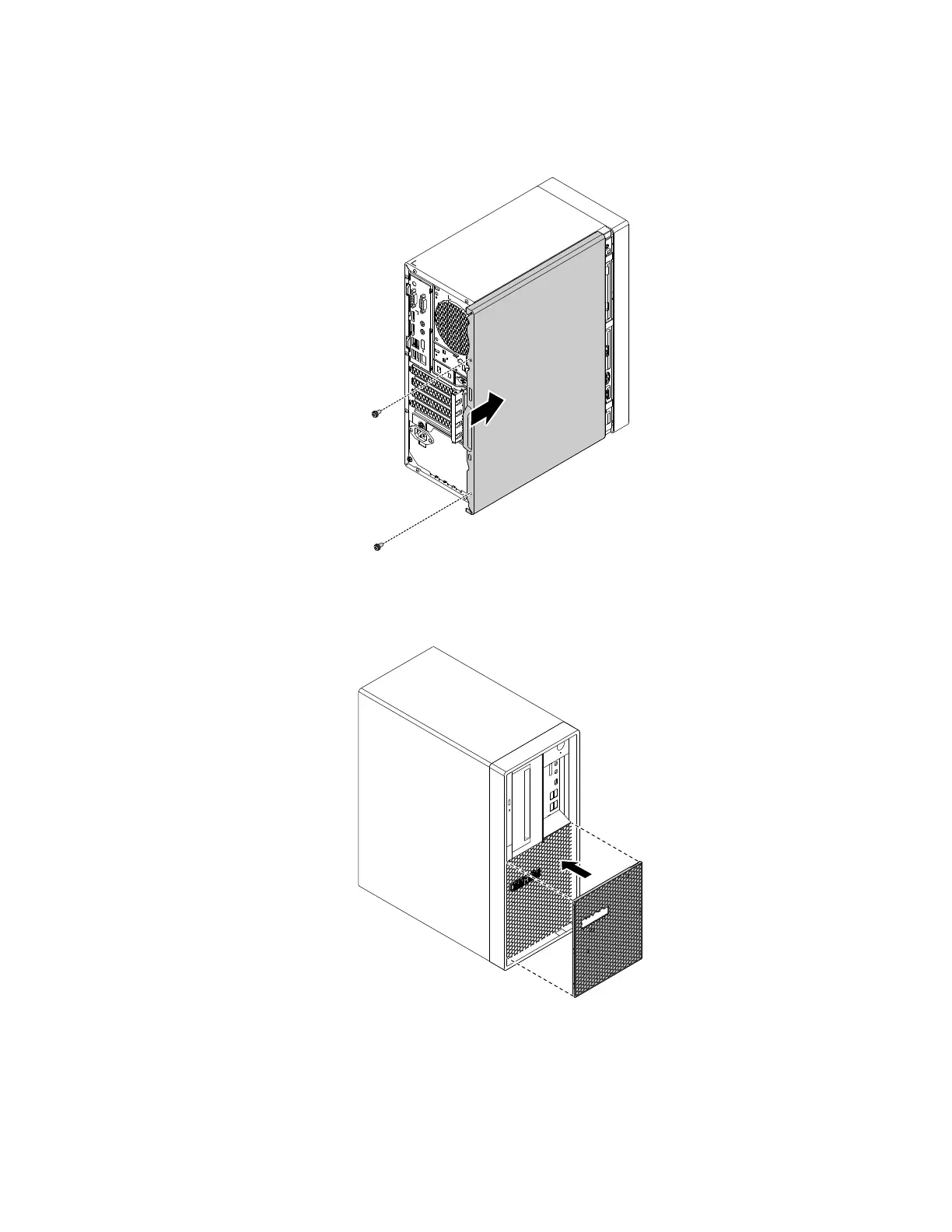
5. Position the computer cover on the chassis so that the rail guides on the bottom of the computer cover
engage the rails on the chassis. Then, push the cover to the front of the computer until it snaps into
position. Install the screws to secure the computer cover.
Figure 178. Reinstalling the computer cover
6. Reinstall the dust shield if you have removed it.
Figure 179. Reinstalling the dust shield
7. If there is any locking device available, lock the computer cover. See “Locking the computer cover” on
page 59.
Chapter 9. Hardware removal and installation 189














 To Next Page