12 Lenze EDBZAEDE1001 DE/EN/FR/ES/IT 1.0
3.3 Copying Data from Master to Slave
STOP!
Use caution when copying memory modules. Once [COPY] is pressed, the Memory
Module Copier (MMC) will write-over the data in the memory module that is installed
in the SLAVE socket.
STOP!
Do NOT remove the module when the COPY LED is ON. (Copying is in progress when
the COPY LED is ON).
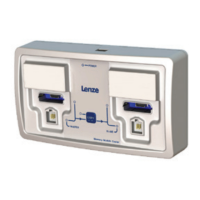
1. Press [COPY] to POWER ON the MMC
2. Insert the MASTER memory module in the correct socket on the left-hand side of the
MMC
3. Insert the SLAVE memory module in the correct socket on the right-hand side of the
MMC
4. Press [COPY] once. (Note: Both Master and Slave LEDs flash while copying.)
5. When the copying is complete, LEDs remain ON.
6. Remove SLAVE memory module
.
. Repeat Steps 3-6 with other SLAVE modules
.
7. Remove MASTER memory module
8. Press [COPY] to POWER OFF the MMC
3.4 Shutdown
To turn the Memory Module Copier OFF, press (and hold) the [COPY] button. The Memory
Module Copier enters shutdown mode indicated by alternating red and green LEDs. After all
LEDs turn off, release the [COPY] button. The Memory Module Copier is now OFF.


 To Next Page