EasyManua.ls Logo

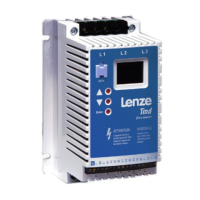
Lenze Tmd - User Manual

Lenze Tmd
114 pages
Print Icon
To Next Page IconTo Next Page
Loading...
Tmd001
EN
Operating Instructions
DE
Betriebsanleitung
FR
Instructions de Mise en Service
IT
Istruzioni di funzionamento
ES
Instrucciones de funcionamiento
TD03D
Tmd - flux vector drive
0.37 kW… 7.5 kW

Table of Contents

Questions and Answers

  • A
    averymeredithSep 23, 2025
    What to do if DC-injection brake is active in Lenze Tmd?
    • W
      William VazquezSep 23, 2025
      If the DC-injection brake is active in Lenze DC Drives, it was activated either via digital input or automatically. Deactivate the DC-injection brake by ensuring the digital input is LOW. If activated automatically, it will deactivate after the holding time c06 has expired.
  • G
    Gary FosterAug 23, 2025
    How to fix an earth fault in Lenze Tmd DC Drives?
    • E
      eandersonAug 23, 2025
      To fix an earth fault in Lenze DC Drives, check the motor and motor cable for a grounded motor phase. Also, excessive capacitive charging current of the motor cable can cause this, so use shorter motor cables with lower charging current.
  • C
    Christopher GomezAug 25, 2025
    What causes motor overload on Lenze Tmd?
    • T
      Tyler DiazAug 26, 2025
      Motor overload (I2t overload) in Lenze DC Drives is typically caused by the motor being thermally overloaded due to impermissible continuous current or frequent/long acceleration processes. Check the controller selection and the setting of c20 to resolve this issue.
  • J
    Jill AdamsAug 27, 2025
    What to do if Lenze DC Drives controller is overtemperature?
    • H
      hjohnsonAug 27, 2025
      If the Lenze DC Drives controller is too hot inside, reduce the controller load and improve cooling to resolve the overtemperature issue.
  • M
    Madison WellsAug 27, 2025
    How to fix EPM error on Lenze DC Drives?
    • D
      Daniel GreenAug 28, 2025
      To fix an EPM error on Lenze DC Drives, power down the drive and replace the EPM, as the error indicates that the EPM is either missing or defective.
  • S
    Stephen CarterSep 18, 2025
    What to do if motor calibration is in process on Lenze Tmd DC Drives?
    • R
      richardsalazarSep 18, 2025
      If motor calibration is in process on Lenze DC Drives, and c48 = 1 and terminal 28 = HIGH, only perform the motor calibration when C14 = 4...7.
  • J
    Johnny LambertSep 14, 2025
    Why buttons on Lenze Tmd DC Drives are disabled when remote keypad is active?
    • C
      Christopher PottsSep 14, 2025
      When the remote keypad is active on Lenze DC Drives, the buttons on the front of the controller are disabled. This is the designed behavior.
  • J
    Jessica WestSep 15, 2025
    What to do if Lenze DC Drives lose 4-20 mA reference?
    • J
      James Baker DDSSep 15, 2025
      If Lenze DC Drives lose the 4-20 mA reference signal (terminal 8I) and it's below 2 mA (C34 = 5), check the signal and signal wire for any issues.
  • D
    Danielle BrightSep 6, 2025
    What causes automatic start inhibited on Lenze DC Drives?
    • J
      Jesse KingSep 6, 2025
      If automatic start is inhibited on Lenze DC Drives, and c42 = 0, 2, apply a LOW-HIGH signal change at terminal 28.
  • C
    Cassandra MartinSep 3, 2025
    How to resolve drive identification fault in Lenze Tmd DC Drives?
    • A
      Alfred TaylorSep 3, 2025
      To resolve a drive identification fault in Lenze DC Drives, ensure that you set C86...C91 before performing motor calibration. Refer to c48 for more information.

Summary

About These Instructions

Safety Information

Pictographs and Signal Words

Explanation of pictographs, signal words (DANGER, WARNING, NOTE), and their consequences.

Technical Data

Standards and Application Conditions

Compliance with CE, UL approvals, and environmental conditions for operation and transport.

Product Ratings and Specifications

Detailed table of power ratings, voltage, current (IN, Imax), and frequencies for different model types.

Installation

Mechanical Installation

Information on dimensions, mounting, and environmental considerations for installation.

Dimensions and Mounting Details

Provides physical dimensions (a, a1, b, b1, b2, c, s1, s2) and weight for various drive models.

Electrical Installation

Guidance on electrical connections, EMC requirements, and fuse/cable specifications.

Installation according to EMC Requirements

Details on noise emission compliance, screen clamps, control cables, and filters for EMC.

Fuses and Cable Cross-Sections

Recommendations for fuse types, miniature circuit breakers, and cable cross-sections for different voltage inputs.

Connection Diagram

Visual representation of electrical connections for different voltage inputs and control terminals.

Control Terminal Functions

Description of each terminal's function for digital and analog inputs/outputs and communication.

Commissioning

Parameter Setting Procedures

Step-by-step guide on how to change parameters using the keypad and display.

Electronic Programming Module (EPM)

Information on the EPM's role in storing settings and its optional programmer for easy configuration.

Parameter Menu Overview

Detailed list of parameters (Code, Name, Possible Settings, IMPORTANT) for configuring the drive.

Vector Mode Operation

Procedures for selecting Vector mode or Enhanced V/Hz mode for motor control.

Vector Speed and Torque Modes

Steps to connect, power up, and configure parameters for Vector speed or torque control.

Enhanced V;Hz Mode

Steps to configure parameters for Enhanced V/Hz mode, including Auto-Boost and constant boost.

Troubleshooting and Fault Elimination

Status Codes and Remedies

Explanation of status codes, their causes, and recommended remedies for operational issues.

Error Codes and Causes

List of error codes, their potential causes, and specific remedies or contact information.

Lenze Tmd Specifications

General IconGeneral
BrandLenze
ModelTmd
CategoryDC Drives
LanguageEnglish

Related product manuals