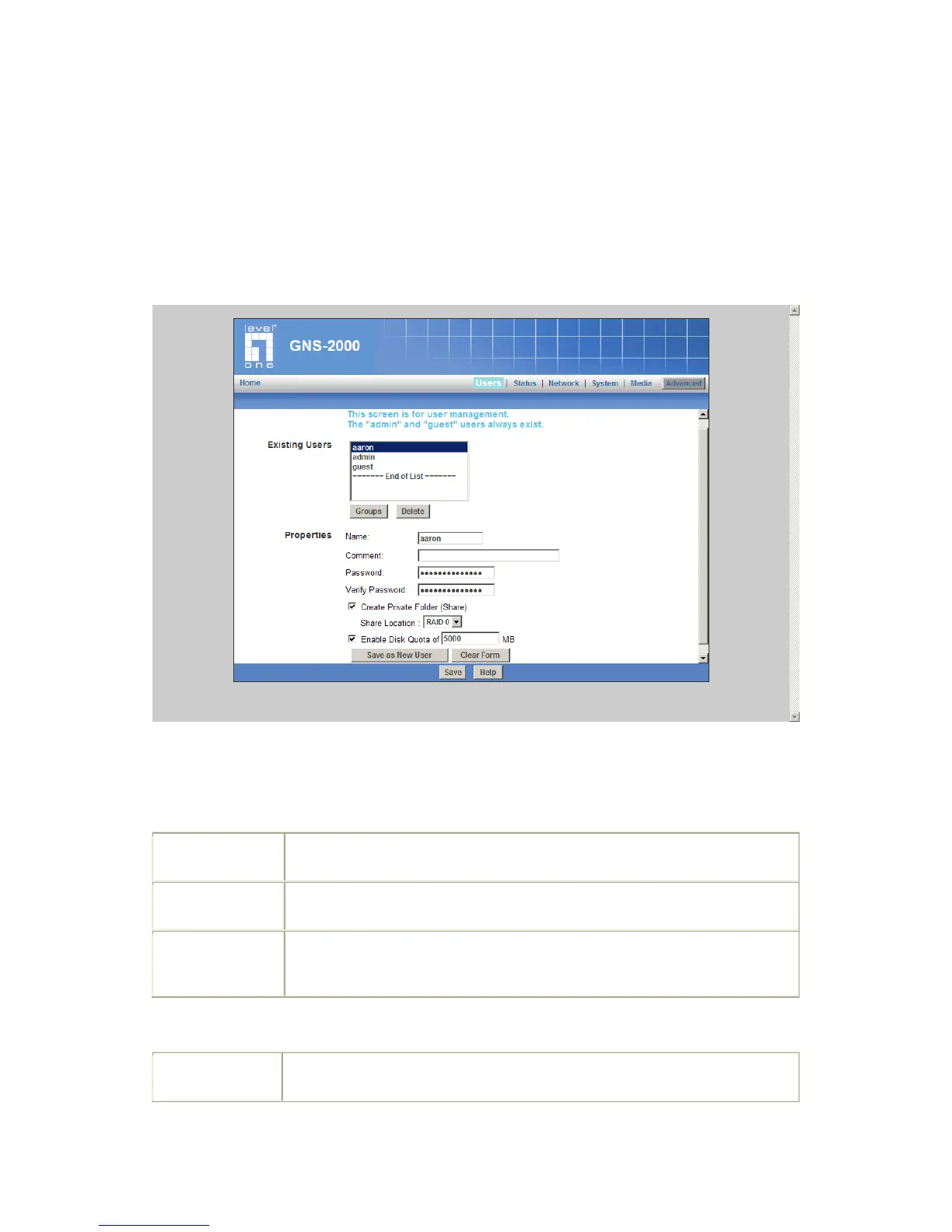
Users Screen
This is the first screen that appears after selecting "Administration". This screen allows you
to manage the Users, which exist on GNS-2000.
The "guest," and "admin" users are pre-defined, and cannot be deleted.
Users can be members of many user Groups.
Users Screen
Existing Users
This list shows all existing users. As you scroll through the list of users, details
of the selected user are displayed in the "Properties" area.
Click this to view and/or modify the Groups which the selected user is in.
Use this to delete the selected user. When deleting a user, you have the
option of deleting the Group and Share with the same name as the user (if
they exist).
User Name. Note that punctuation and other special characters (e.g. * / | \ )
cannot be used in the name.



 To Next Page