EasyManua.ls Logo

LevelOne GNS-2000 - User Membership Control

LevelOne GNS-2000
92 pages
Print Icon
To Next Page IconTo Next Page
To Previous Page IconTo Previous Page
Loading...
29
Click the "Save" button to save your changes.
Groups button
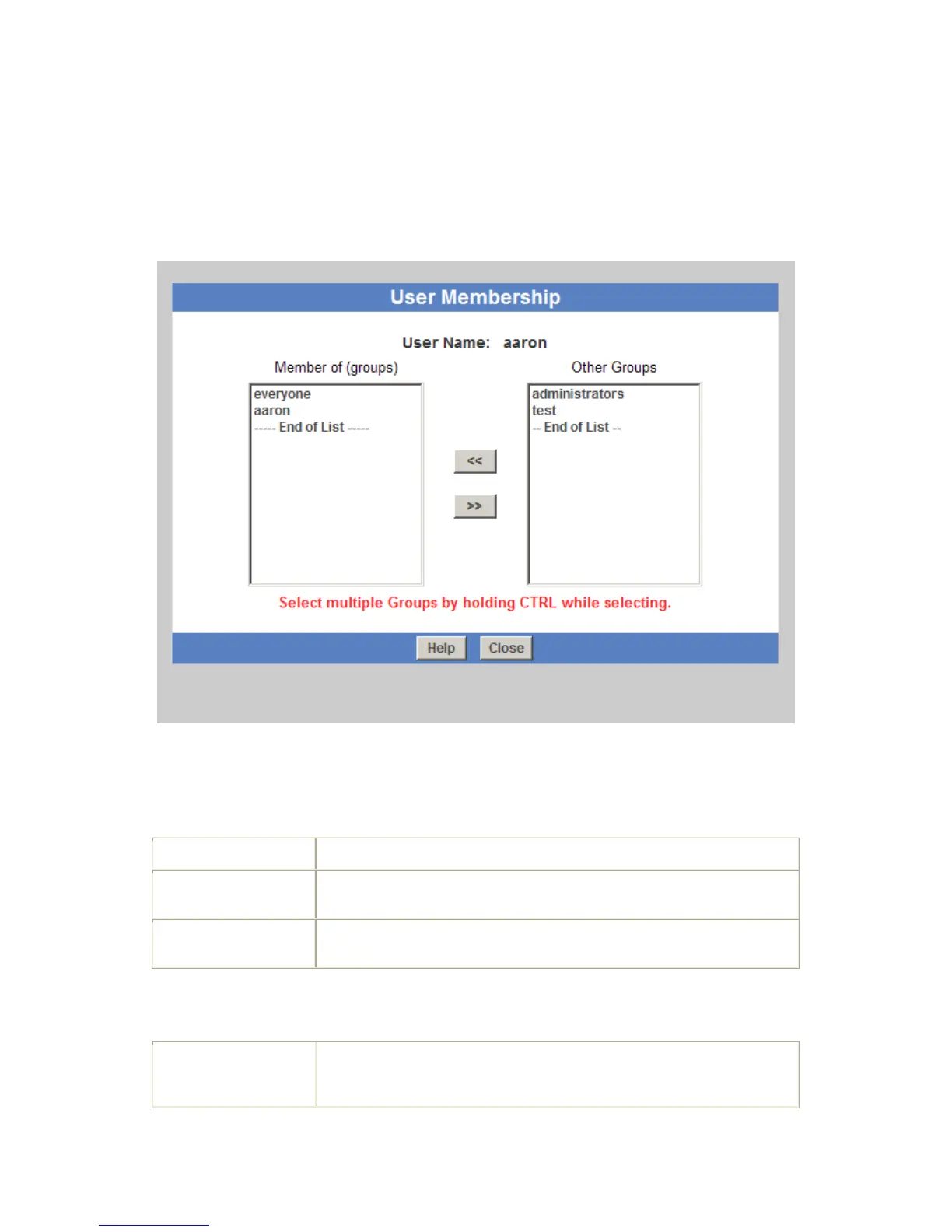
To click Groups button, it will pop up following screen:
This screen allows you to check which Groups this user is a member of, and to add or
revoke membership.
Data
User Name
The name of the User being modified is shown at the top of the screen.
Member of
The "Member of" column on the left shows the Groups that this user is
currently in.
Other Groups
The "Other Groups" column on the right shows all other Groups. The
current User is not a member of these Groups.
Operation
To Add Membership
of a Group
Select the Group or Groups in the right-hand column, then click the "<<"
Button. Multiple Groups can be selected by holding down the CTRL Key
while selecting.

Other manuals for LevelOne GNS-2000