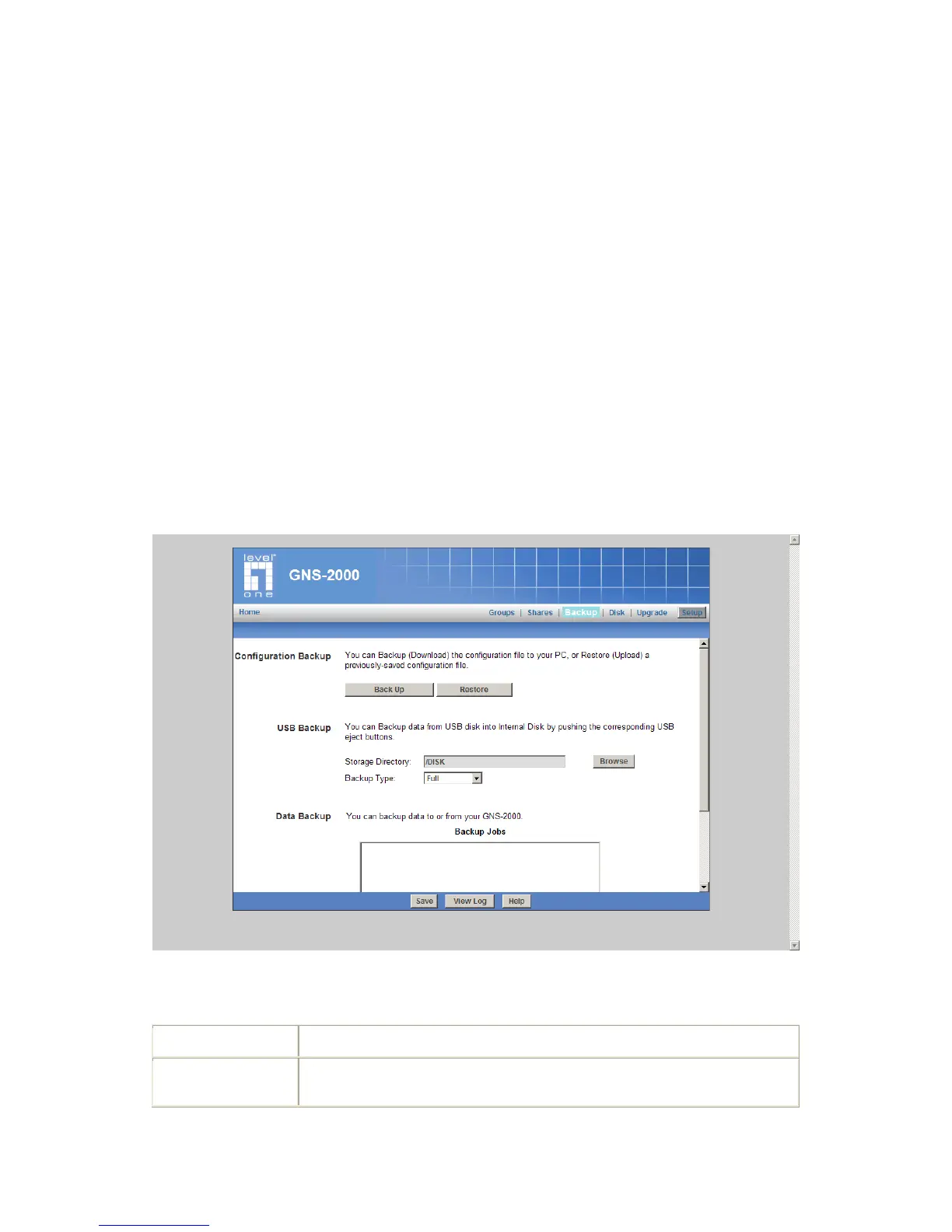
Backup Screen
There are 3 types of backup:
Configuration Backup - This facility allows you to Backup (Download) and Restore
(Upload) the NAS Server’s configuration file. The configuration file contains all net-
work information, as well as the User, Group, and Share information. It does NOT
include any information about the files stored on GNS-2000
NOTE: Using this feature will overwrite (destroy) any existing configuration information.
USB Backup - Backed up data from specified USB disk into specified folder in In-
ternal Disk by pushing the USB Eject buttons.
NOTE: Push the Eject buttons and then release after GNS-2000 beeps twice. GNS-
2000 will beep three times if backup succeeds, and beep once if backup fails.
Data Backup - Data files can be backed up from GNS-2000 to another network de-
vice, or from another network device to the NAS.
Backup Screen
Configuration Backup



 To Next Page