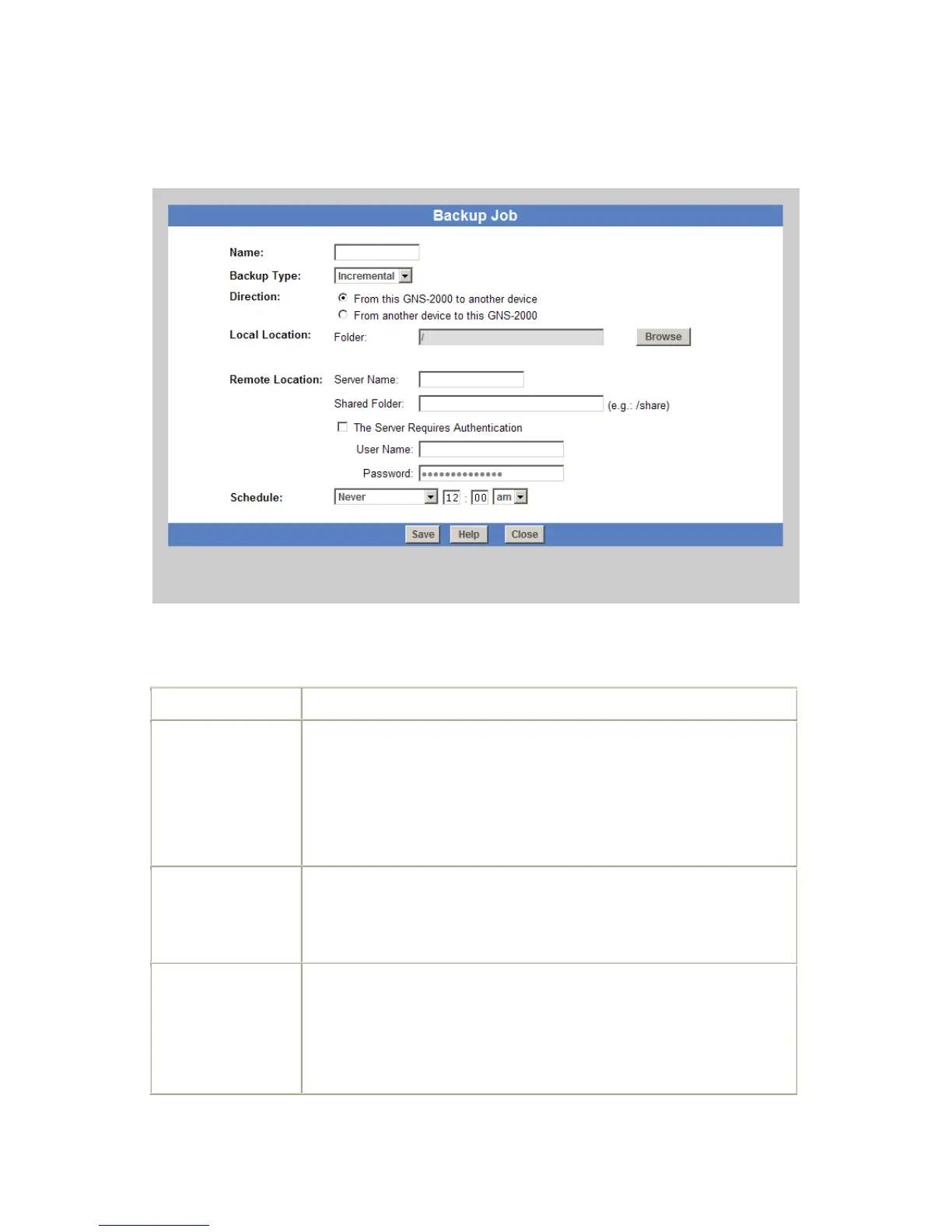
Add Backup Job
From this screen, you can add new backup jobs, which be displayed on the Backup screen.
Add Backup Job Screen
Data
Enter a suitable name for this job.
Select the desired backup type.
Full - all files will be backed up.
Incremental - only changed files will be backed up.
Synchronize - all files are backed up, then any files on the destina-
tion which do not exist on the source are deleted.
Select the desired option:
From this NAS to another device.
From another device to this NAS
Select the desired folder in this NAS. Click 'Browse' button to select the
desired folder.
If backing up from this NAS, select the folder you wish to backup.
If backing up from another device to this NAS, select the folder
where you want the backed-up data to be stored.



 To Next Page