23
to select a device to replace.
You will be prompted to
prepare the controller to be
replaced or to press a button
on a slave device to be
replaced when prompted. The
button press will occur after
you initiate the replacement
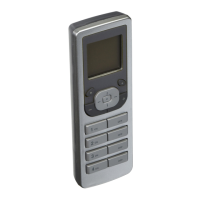
process by pressing the
center button on the
VRCPG. After replacement
you can name the replacing
device (refer to TEXT
EDITOR pg. 7). Once your
name is saved, you will
receive confirmation that the node has been
replaced.
ASSOCIATION
Selecting 2. Association from
the ADVANCED screen will
bring you to the ASSOCIATION
screen. NOTE: Consult Vizia RF
+
system guide for advanced
ASSOCIATION options.
9. Device Properties
This feature will display information about
a particular device (Name, Node ID and
Description) when selected from the list.


 To Next Page