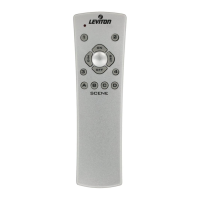
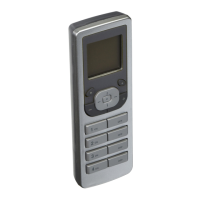
Leviton’s Programmer/Remote, Cat. No. VRCPG, is a multi-
functional device. It uses Z-Wave
TM
technology to act as a
programmer, zone or scene controller, remote and timer for
setting up and operating your Vizia RF +
TM
network. This manual
will guide you through the understanding of your VRCPG
functions as a setup controller. Once your network is installed,
your VRCPG may also be used as a wireless controller for
activating events, and controlling your lighting system.
Your VRCPG comes with rechargeable batteries, a programmer/
remote stand, and a power adapter. NOTE: This product is
designed to work with other Z-Wave
®
enabled devices from
any manufacturer. Z-Wave
®
nodes of other types and product
categories can be added to the system, and will also act as
repeaters if they support this function of repeating the signal
received to other modules in the system. NOTE: Upon initial
installation, you will need to charge your VRCPG for twelve (12)
hours before programming and use.
WARNING: Leviton only supports the use of the supplied
rechargeable Ni-MH "AA" size batteries.
INTRODUCTION
1
VRCPG
Programmer/Remote
VRCPG
Stand
Power
Adapter
This equipment has been tested and found to comply with the limits
for a Class B Digital Device, pursuant to Part 15 of the FCC Rules.
These limits are designed to provide reasonable protection against
harmful interference in a residential installation. This equipment
generates, uses, and can radiate radio frequency energy and, if not
installed and used in accordance with the instructions, may cause
harmful interference to radio communications. However, there is no
guarantee that interference will not occur in a particular installation. If
this equipment does cause harmful interference to radio or television
reception, which can be determined by turning the equipment OFF and
ON, the user is encouraged to try to correct the interference by one or
more of the following measures:
• ReorientorrelocatethereceivingAntenna.
• Increasetheseparationbetweentheequipmentandthereceiver.
• Connecttheequipmentintoanoutletonacircuitdifferentfromthat
to which the receiver is connected.
• Consultthedealeroranexperiencedradio/tvtechnicianforhelp.
FCC COMPLIANCE STATEMENT


 To Next Page