48
If a jam occurs while printing labels from tray 1 or the manual feed:
1 Be sure the labels remain attached to the backing sheet after clearing the jam.
2 Before resuming label printing, load paper in tray 1.
3 Press the operator panel button and print 10 or more menu settings pages.
The paper removes any remaining adhesive in or on the fuser.
Note: Serious damage to your printer may occur if adhesive labels remain in the fuser.
Call for service.
If the jam occurs as the paper exits the optional tray 2 into the printer:
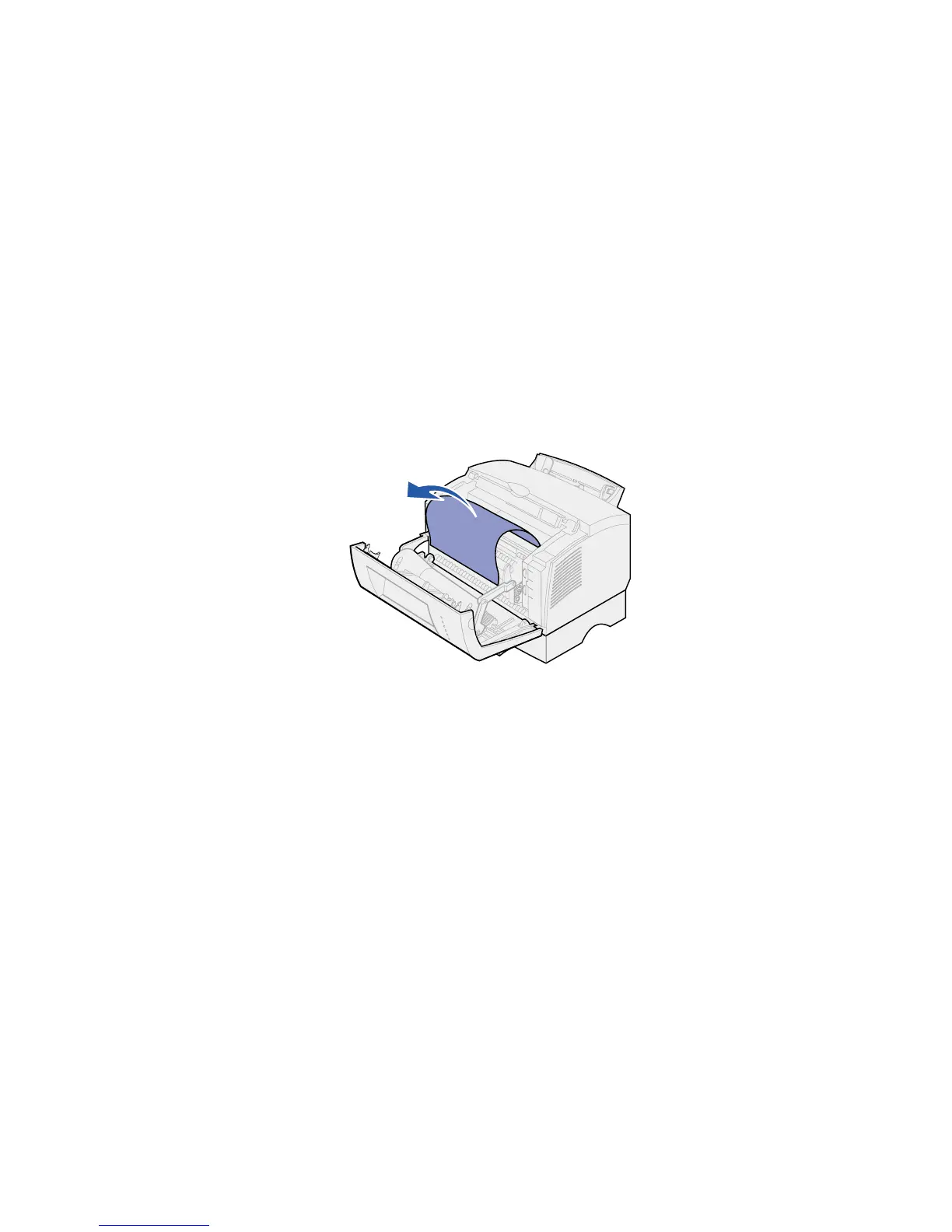
1 Open the printer cover.
2 Remove the print cartridge (the cartridge may be warm).
3 Gently pull the paper toward you.
4 Reinstall the print cartridge.
5 Close the printer cover to resume printing.



 To Next Page