61
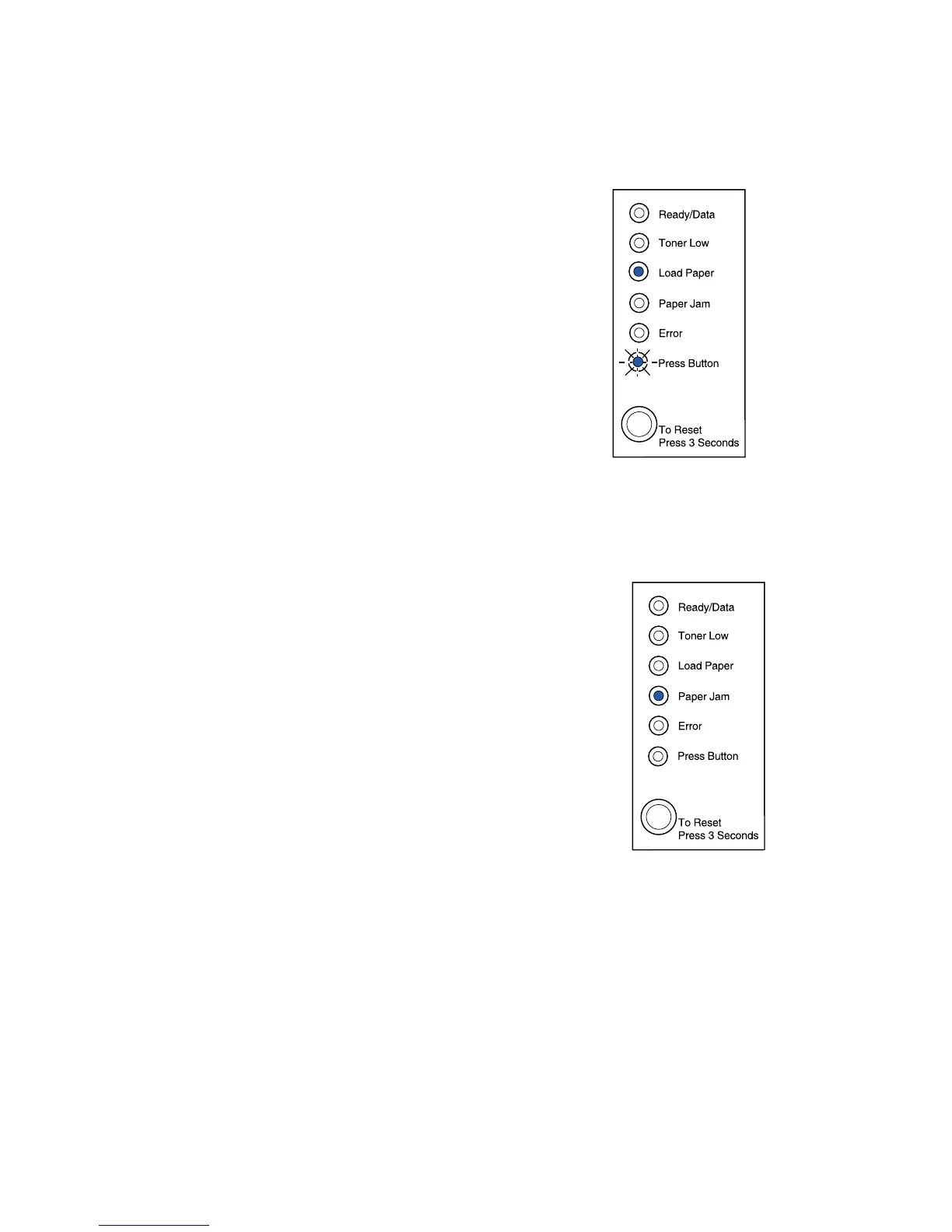
What this light sequence means:
Print the other side of your duplex print job.
What you can do:
• Re-insert your print job in tray 1 using the
instructions in the driver pop-up menu to orient the
pages correctly.
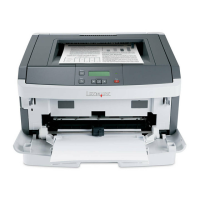
What this light sequence means:
The printer detects a paper jam.
What you can do:
• Open the printer cover, clear all media from the
paper path and close the cover to resume printing.
• See Clearing jams for more information.



 To Next Page