GS350_OM_OM30D41U_(U)
299
4-5. Using the driving support systems
4
Driving
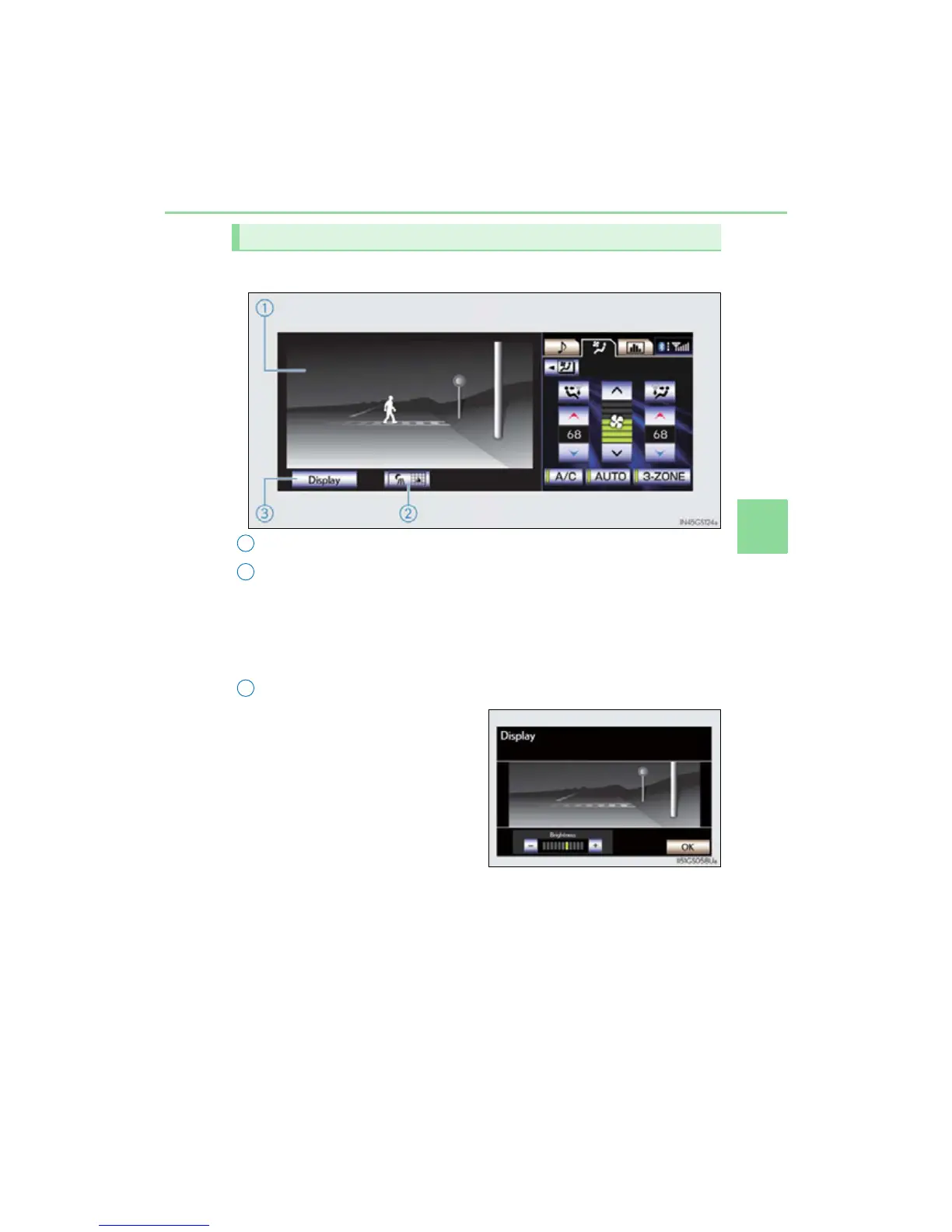
■ When displaying on the “Main Display” (P. 314)
Lexus night view screen
“Side Display” switching button
If this button is selected using the Remote Touch when the Lexus night view is
being shown on the “Main Display”, the “Side Display” will change to a map dis-
play. (P. 312)
If the button is selected again, the screen will return to its previous display.
Brightness adjustment button
The brightness of the display can be
adjusted by selecting this button using
the Remote Touch.
Make sure to select the “OK” after
adjusting the brightness.
“-”: Darker
“+”: Brighter
The Lexus night view display



 To Next Page