GS350_OM_OM30D41U_(U)
97
2. Instrument cluster
2
Instrument cluster
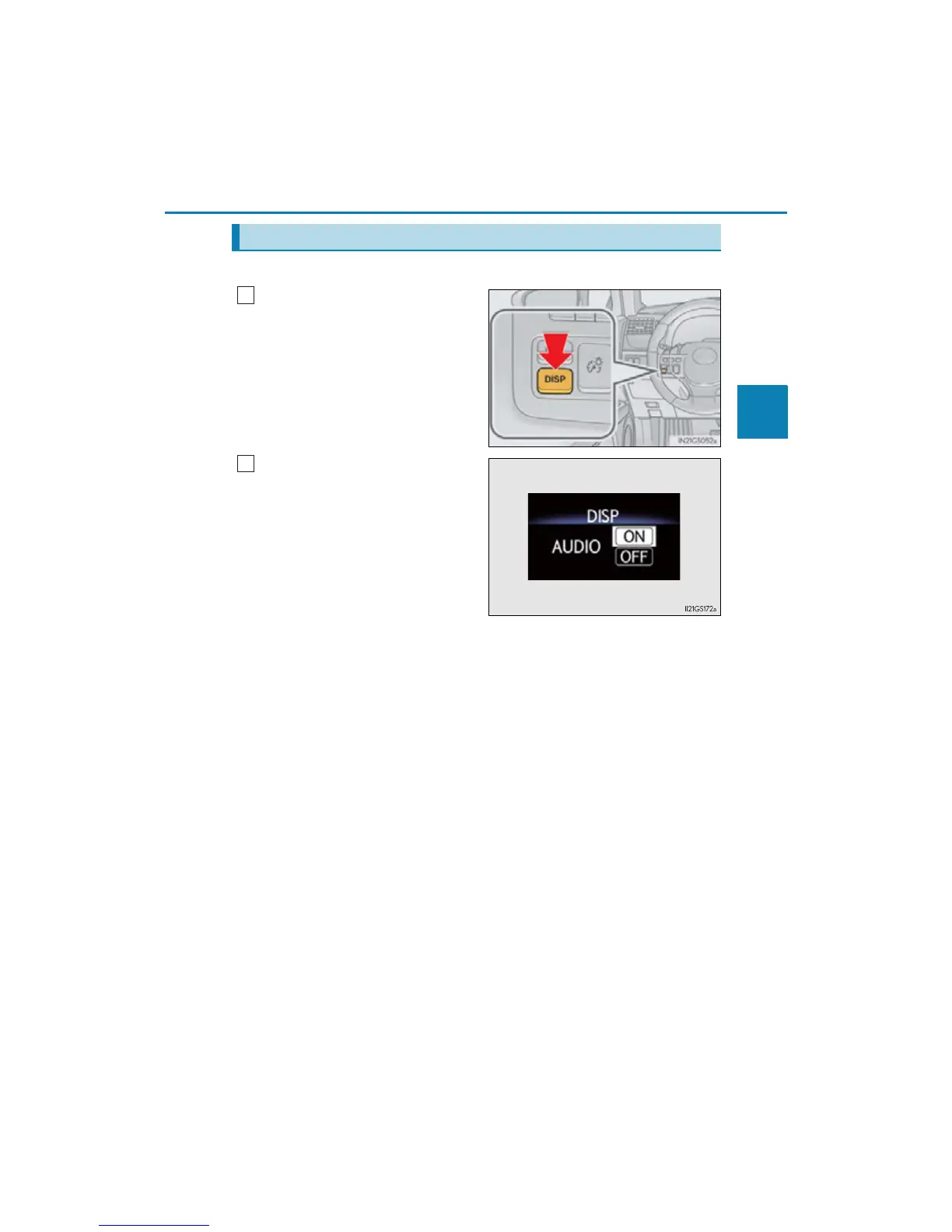
The audio display can be shown or hidden.
Press and hold the “DISP” button
until the screen changes.
Customization can be performed
when the head-up display is on and
the vehicle is traveling at less than 5
mph (8 km/h).
Press the “DISP” button to switch
between on and off.
On and off will be switched between
each time the button is pressed.
If the button is left alone without being
operated for a short time, setting will
be finished automatically.
Display customization
1



 To Next Page