iPECS-MG Hardware Description and Installation Manual Issue 1.1
DECT INSTALLATION August, 2010
76
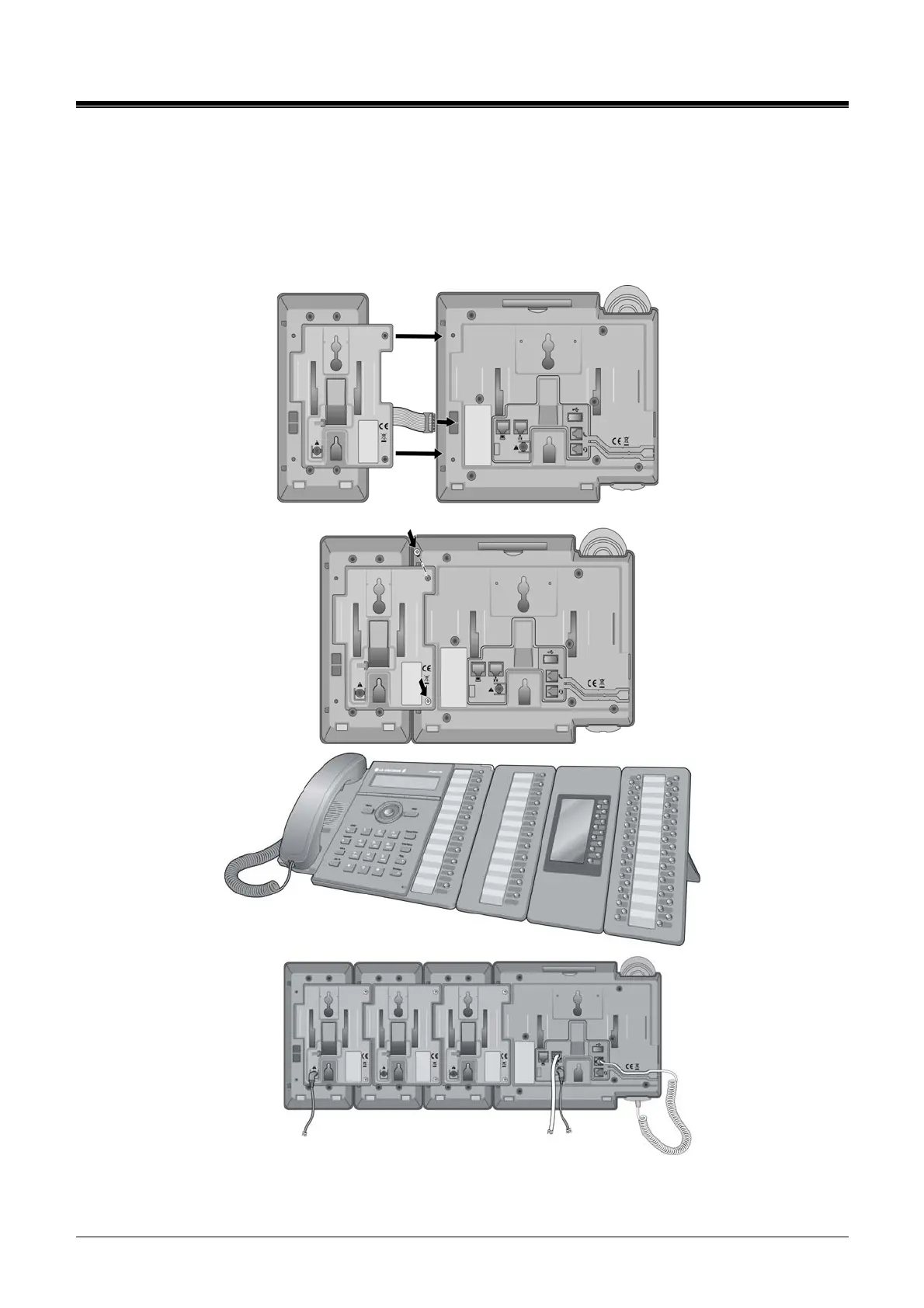
insert and tighten two (2) screws through the DSS Console mounting flange into the LIP phone.
Caution, do not over-tighten the screws as this may damage the LIP phone housing.
for additional DSS/BLF Consoles, repeat the procedure connecting one console to the previous
console. A maximum of three consoles can be supported by an LIP-8000 series phone.
for each LIP-8048DSS and LIP-8040LSS, insert the DC plug of an AC Adaptor-K to the DC input of
the DSS Console and plug the AC plug into an appropriate (110/240 VAC) outlet.
Figure 6.1.4.3-1 LIP-8000 DSS Installation



 To Next Page