18
Setting the clock
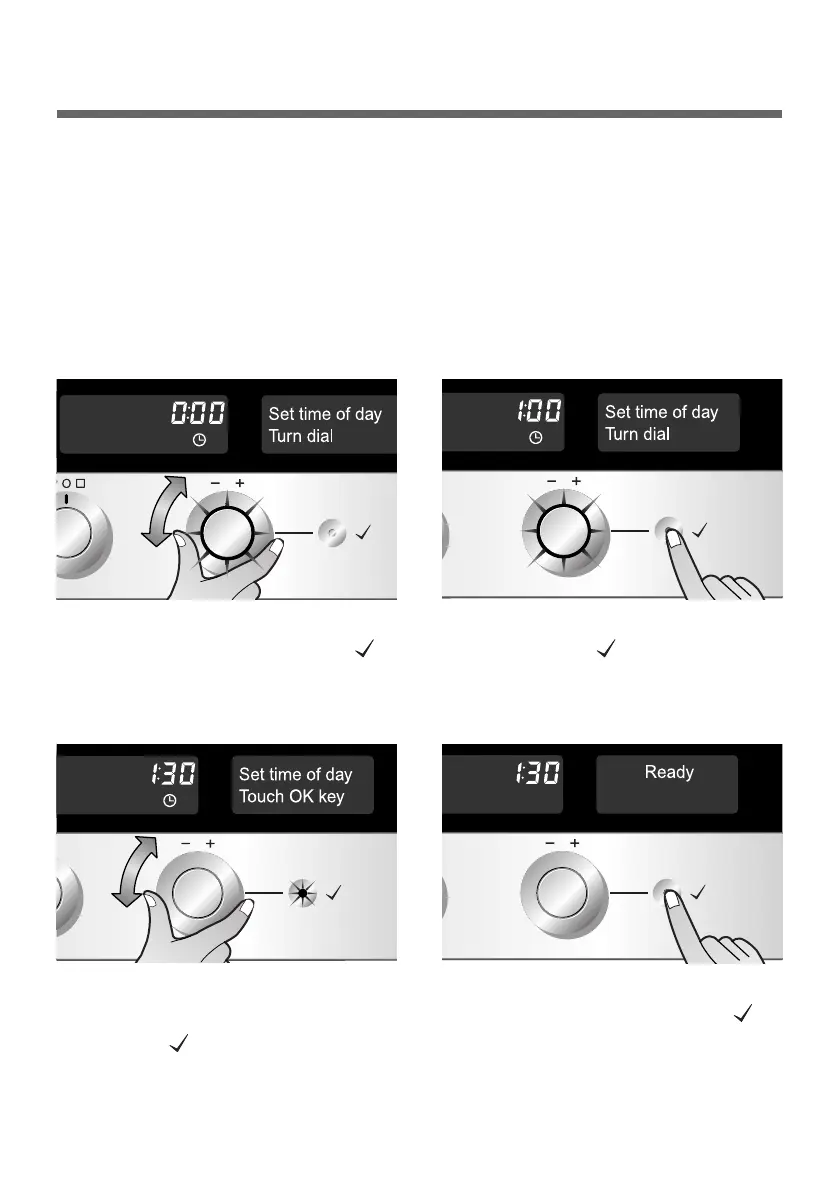
Setting the time of day
The oven cannot be used until the time of day is set.
When the appliance is connected for the first time or after a power
failure, <0>, <Turn dial> & the Time Selector will flash.
Example : to set the current time of day to 1:30
Set the hour, using the Time
selector. The OK button( ) &
<Touch OK key> will flash.
1
Confirm by pressing the
OK button( ).
The Time selector, <00> &
<Turn dial> are flashing.
2
Set the Minutes, using the
Time selector. The OK
button( ) will flash.
3
Confirm this entry by
pressing the OK button( ).
The appliance is now ready
to use.
4


 To Next Page