32
Operation
Programming the end of cooking time
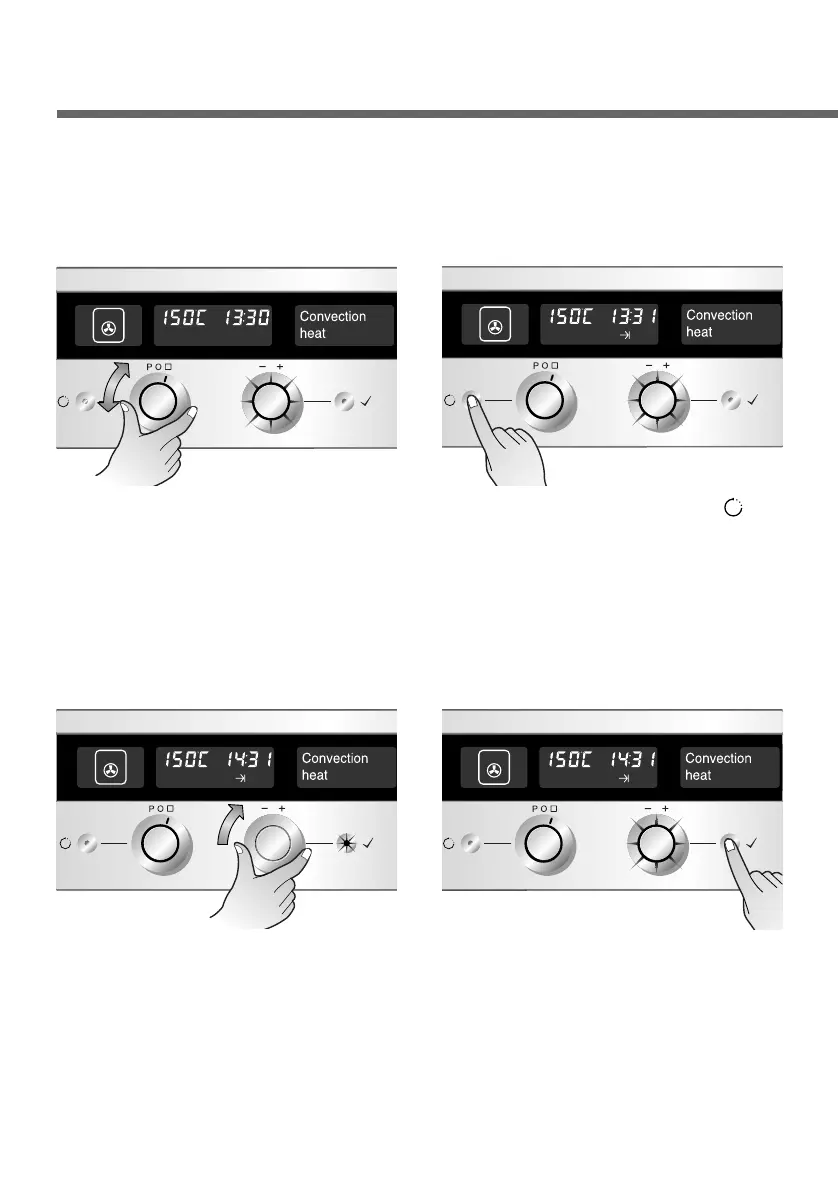
Select the desired operating
mode and temperature.
(Refer to the section on
“Switching the oven on” or
“Changing the oven
temperature”)
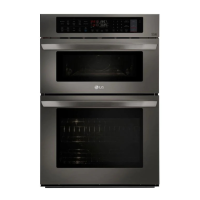
1
Press the Time button( )
twice.
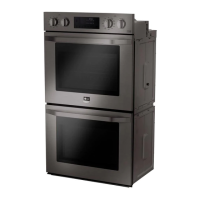
2
Set the hour, using the Time
selector. The OK button
flashes.
Note : When setting the end of cooking time, you have
to turn the time selector clockwise only.
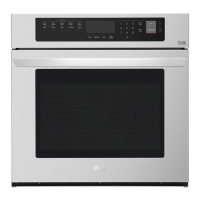
3
Press the OK button for next
step. The Time selector &
minutes (31, in the example)
will flash.
4
In the example shown, the current time is 13:30 and the dish is to
be ready at 14:40.


 To Next Page