49
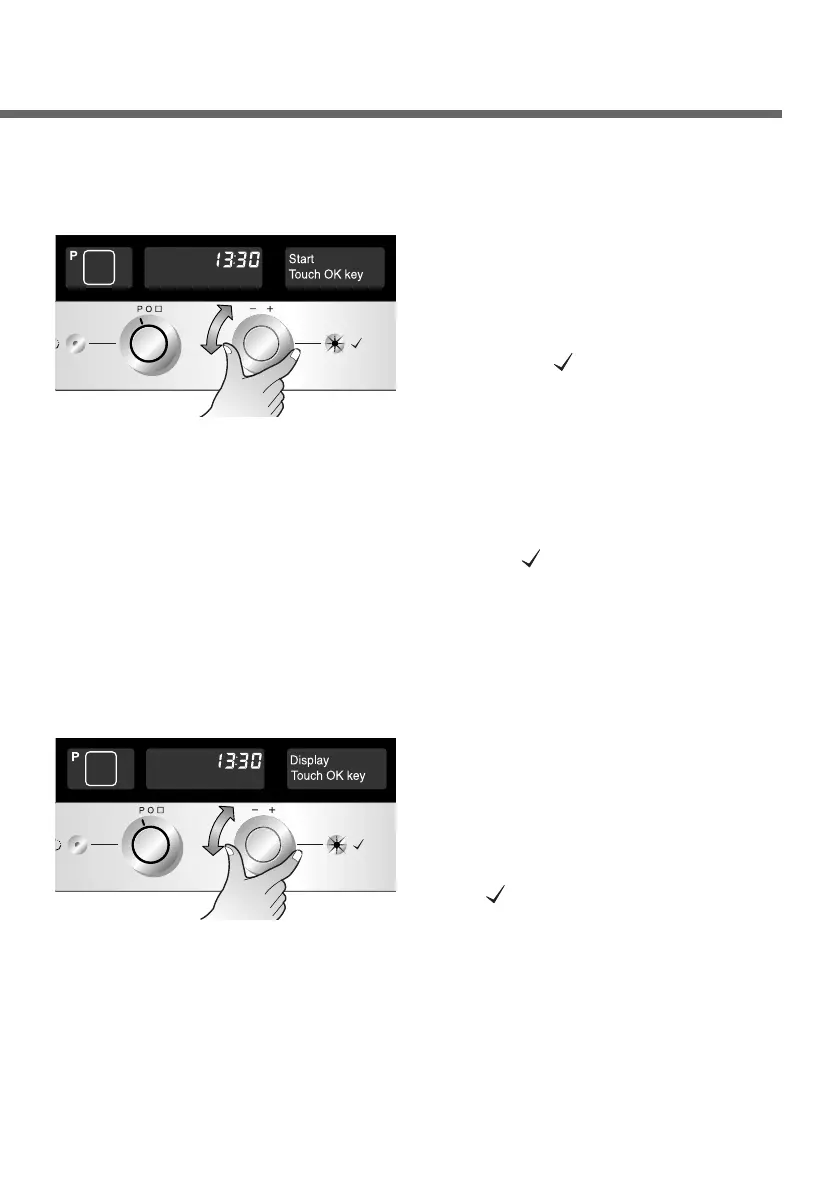
Start
Select the “Start” menu.
Press the OK button to confirm.
Note: In automatic start mode, the cooking programme will start
automatically about 8 seconds after the last entry was made.
But you have to press the OK button( ) to start the
programme in manual start mode.
Note : In clock on mode, the clock is always on after switching the
oven off. In clock off mode, if the oven temperature is under
60°C the clock will darken to save energy in about 5minutes.
But it is switched on back if you touch any button.
1
You can select either
“automatic start” or “manual
start”. Select the one you
want and press the OK
button( ) to confirm the
entry.
2
First call up the setting menu
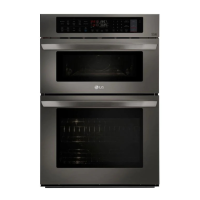
Display
Select the “Display” menu.
Press the OK button to confirm.
1
You can select either “Clock
on” or “Clock off” option.
Select the setting you want
and confirm your selection
by pressing the OK button
( ).
2
First call up the setting menu


 To Next Page