47
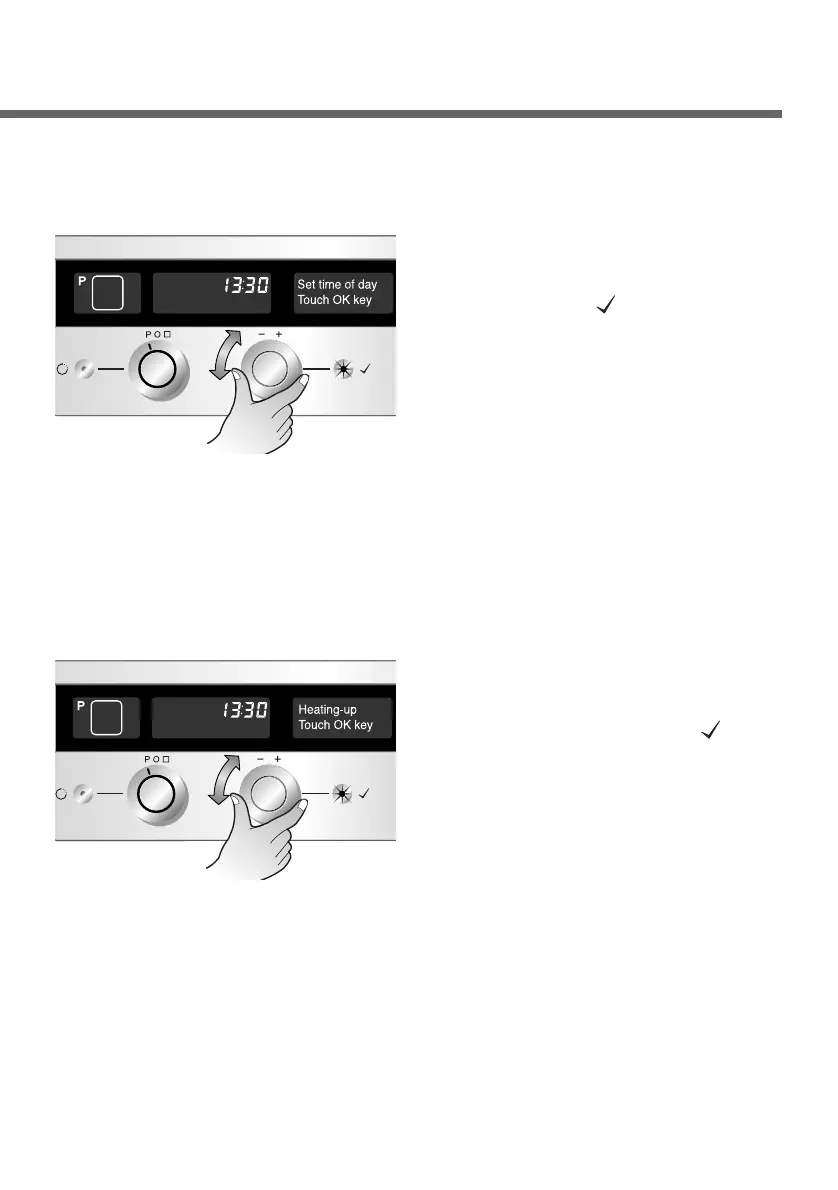
Changing the clock
Select the “Set time of day”
menu. Press the OK button
to confirm.
1
You can select either a 24
hour or 12 hour. Press the
OK button( ). The time of
day can then be set. Enter
and confirm the hour. Then
enter and confirm the
minutes. The time of day is
now saved.
2
First call up the setting menu
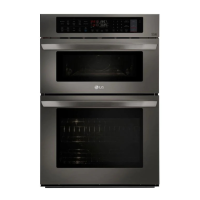
Heating-up phase
Select the “Heating-up”
menu. Press the OK button
to confirm.
Important: You may use the rapid heating only in the following
functions, Convection heat, Hot air and Conventional
heat.
1
Now you can select
“normal” or “rapid”. Then
press the OK button( ) to
confirm.
Note: If the option “rapid”
has been selected
the corresponding
symbol lights up
during the heating up
phase.
2
First call up the setting menu


 To Next Page