30
Cancel: Press the OK button
( ) twice in quick succession,
when “Timer running” appears
on the display.
If others appear on the display,
press the time button until you
reach “Timer running”, then
press the OK button.
Note: You can set the timer
also, when the Function
selector is located “O”.
Setting the timers
After the oven start cooking function.
Operation
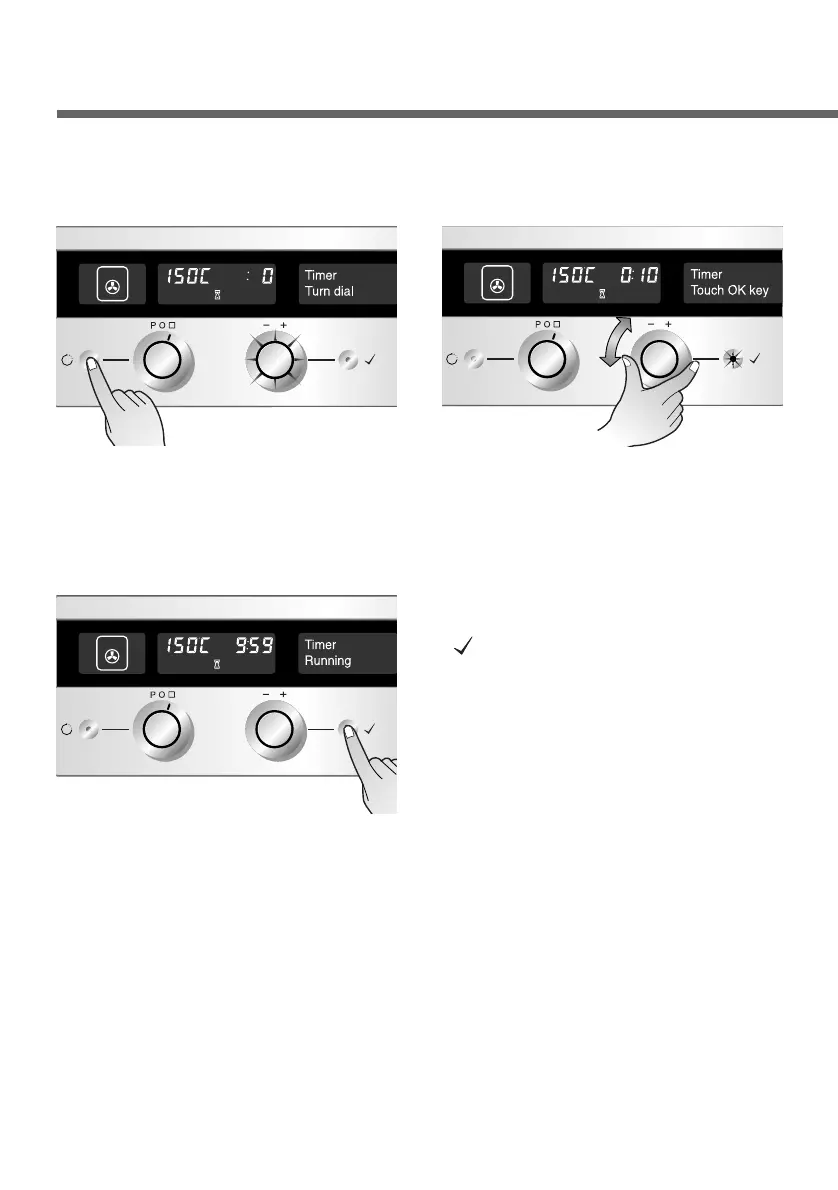
Press the Time button once.
The Time selector flashes.
(Example:Convection heat)
1
Set the desired time, using
the Time selector. The OK
button will flash.
2
Press the OK button to start
the timer clock. Once the
set time has expired, the
Timer selector flashes and
you will hear a signal tone.
3


 To Next Page