3939
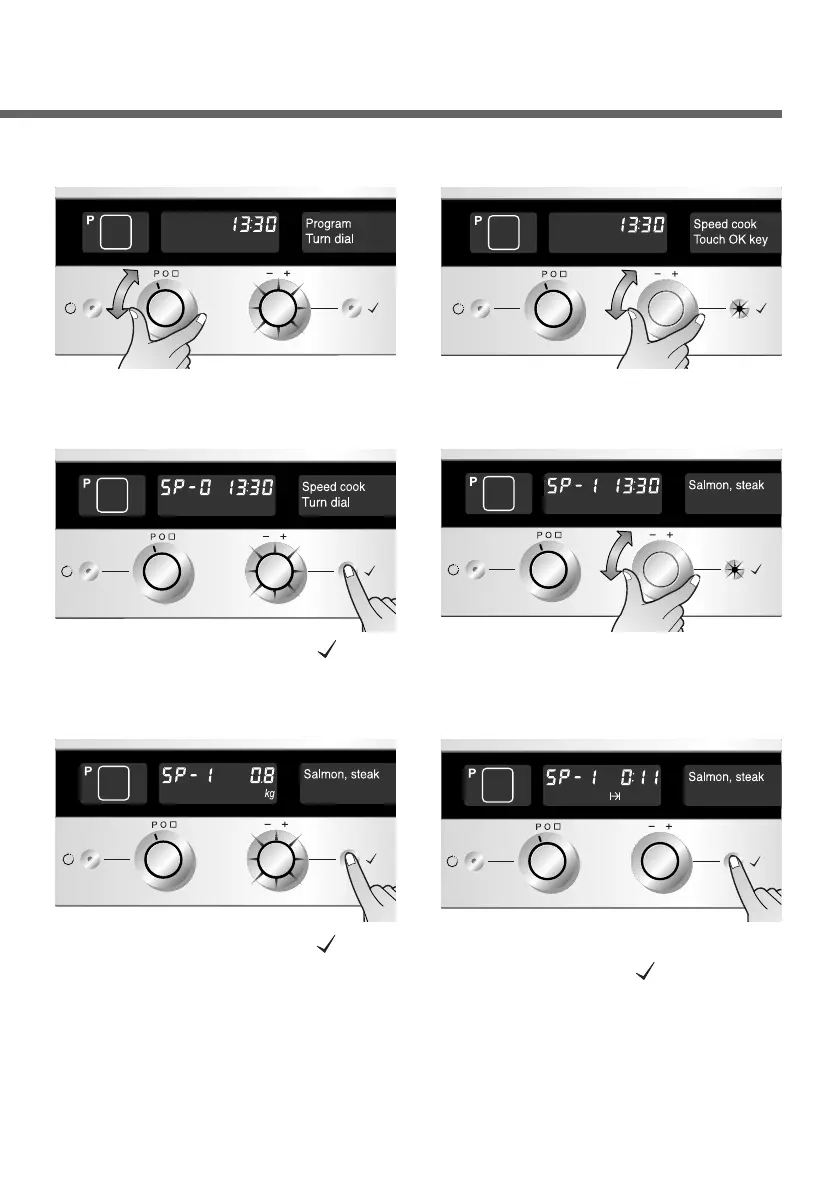
Set the Function selector to
“P”. The Time selector flashes.
1
Turn the Time selector, until
you reach “Speed cook”.
2
Press the OK button( ) to
confirm your selection.
3
Turn the Time selector to
select a desired menu. In the
example shown Salmon,steak.
4
Automatic programmes - Speed cook
Press the OK button( ) to
enter the menu. Now use
the Time selector to set the
weight of the dish.
5
Start the programme with
the OK button( ), or wait 8
seconds for the oven to
start automatically.
6


 To Next Page