27 Infotainment System
Viewing slide show [Level 4]
From the picture screen, press [ ].
The slideshow will be played.
Press the screen to cancel the slide
show during slide show playback.
Viewing a previous or next picture
[Level 4]
From the picture screen, press [t] or
[u] to view previous or next picture.
Rotating a picture [Level 4]
From the picture screen, press [ ] or
[ ] to rotate the picture clockwise or
counter clockwise.
Enlarging a picture [Level 4]
From the picture screen, press [ ] to
enlarge the picture.
Using the USB picture menu [Level
4]
1. From the picture screen, press
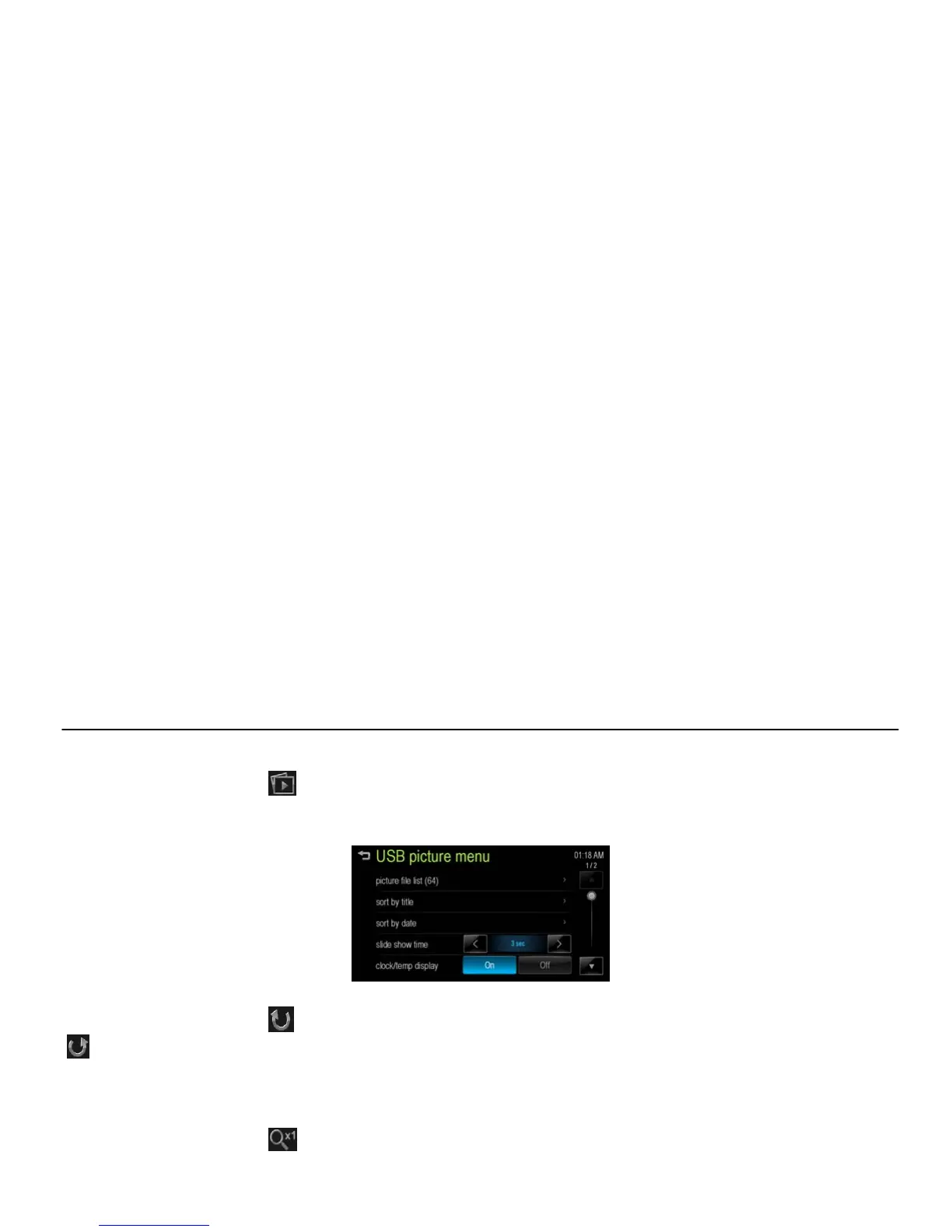
[MENU]. The USB picture menu is
displayed.
[USB picture menu_BYOM]
2. Press the desired menu.
[picture file list]: Displays all picture
file list.
[sort by title]: Displays pictures in title
order.
[sort by date]: Displays pictures in
date order.
[slide show time]: Select the slide
show interval.
[Clock/temp display]: To display the
clock and temperature on the full
screen, select On or Off.
[display setting]: Adjust the Brightness
and Contrast.
3. After the setting is complete, press
[4].



 To Next Page