Infotainment System 6
Overview [Level 3]
Control panel [Level 4]
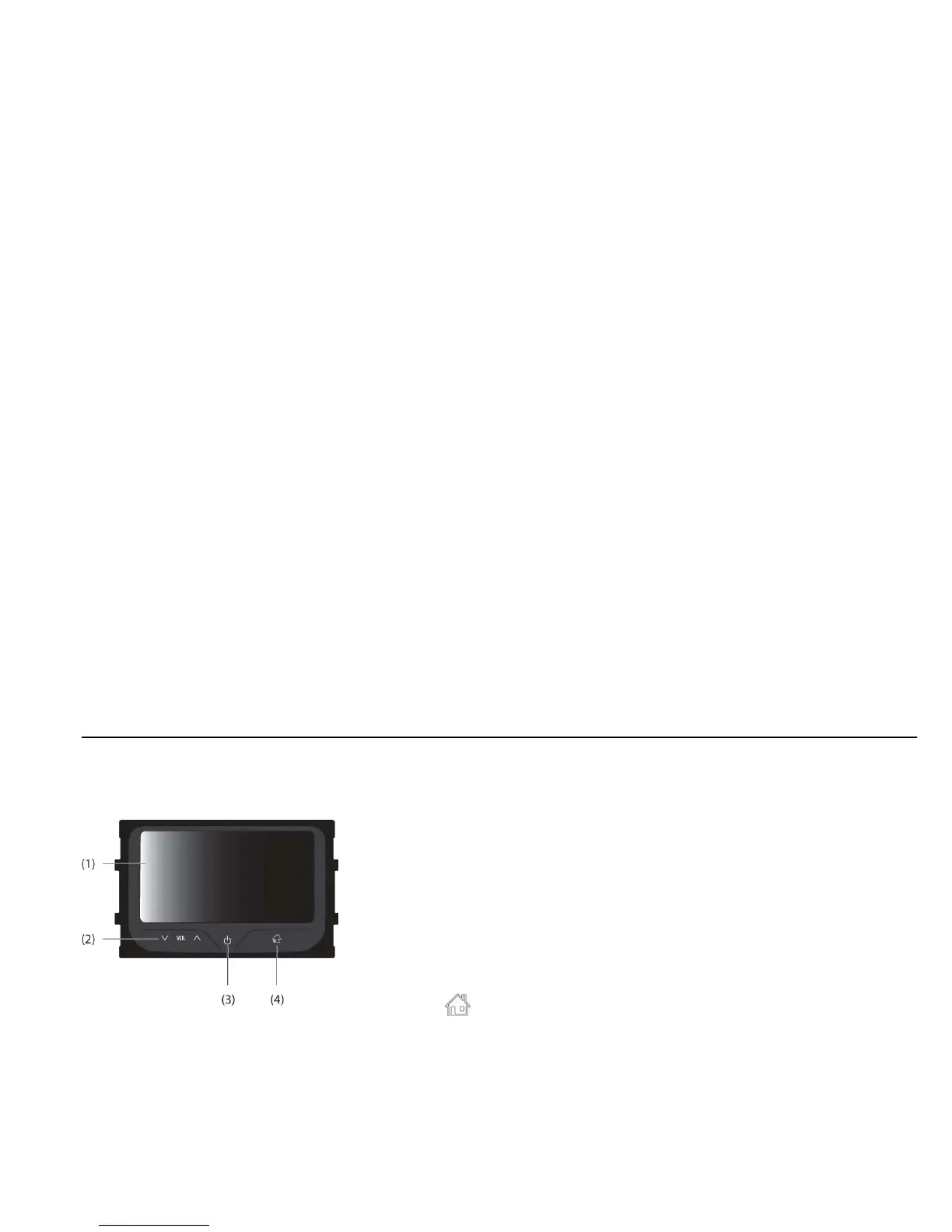
[front_BYOM]
(1) Display
Display for Play/Reception/Menu
state and information.
(2) Volume (y VOL z) buttons
Press [y] to increase the volume.
Press [z] to decrease the volume.
(3) POWER (P) button
Press and hold this button to turn
the power on/off.
(4) HOME (
) button
Press this button to enter the home
menu.



 To Next Page