31 Infotainment System
Auxiliary device system
[Level 3]
The Infotainment system can play
auxiliary music or movies connected by
the auxiliary device.
Playing music source of auxiliary
device [Level 4]
Connect the auxiliary device containing
music source to the AUX input terminal.
Once the Infotainment system finishes
reading the information on the auxiliary
device, it will be automatically played.
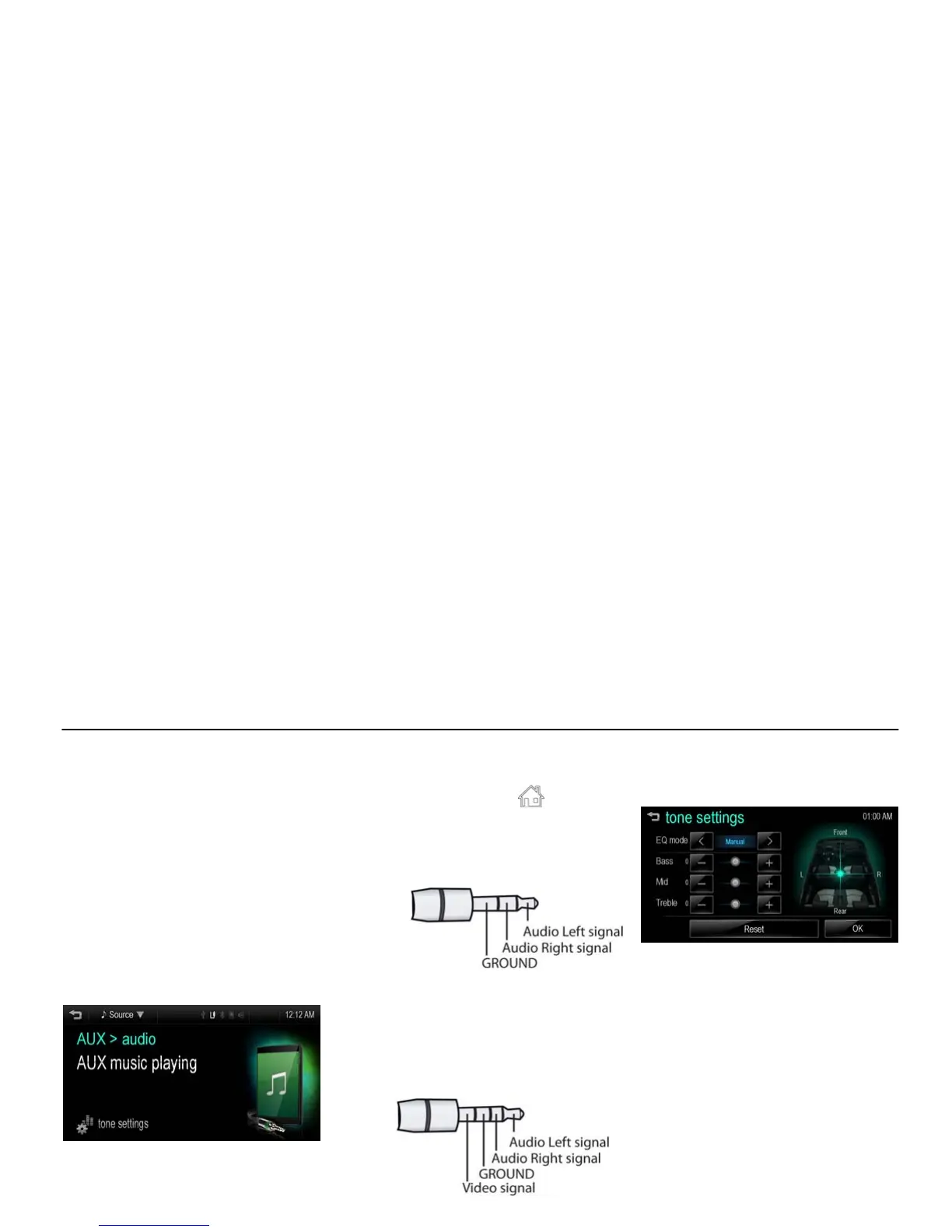
[aux audio_J300 EU]
Note
If the auxiliary device is already
connected, press [HOME (
)] > [audio]
> [Source
R] > [AUX] to play music
source of auxiliary device.
The type of AUX cable
- 3-pole cable : AUX cable for audio
[pole three_T300 EU]
- 4-pole cable : AUX cable for movie
(AUX cable for iPod/
iPhone)
The 4-pole cable is
supported when the movie
file is played.
[pole four_T300 EU]
Tone settings
1. Press [tone settings] during the aux
music playback.
[fm menu tone_BYOM]
2. For details, refer to the “Tone
settings (FM/AM menu)” of the
“Radio” section.



 To Next Page