47 Infotainment System
Hands-free phone [Level 3]
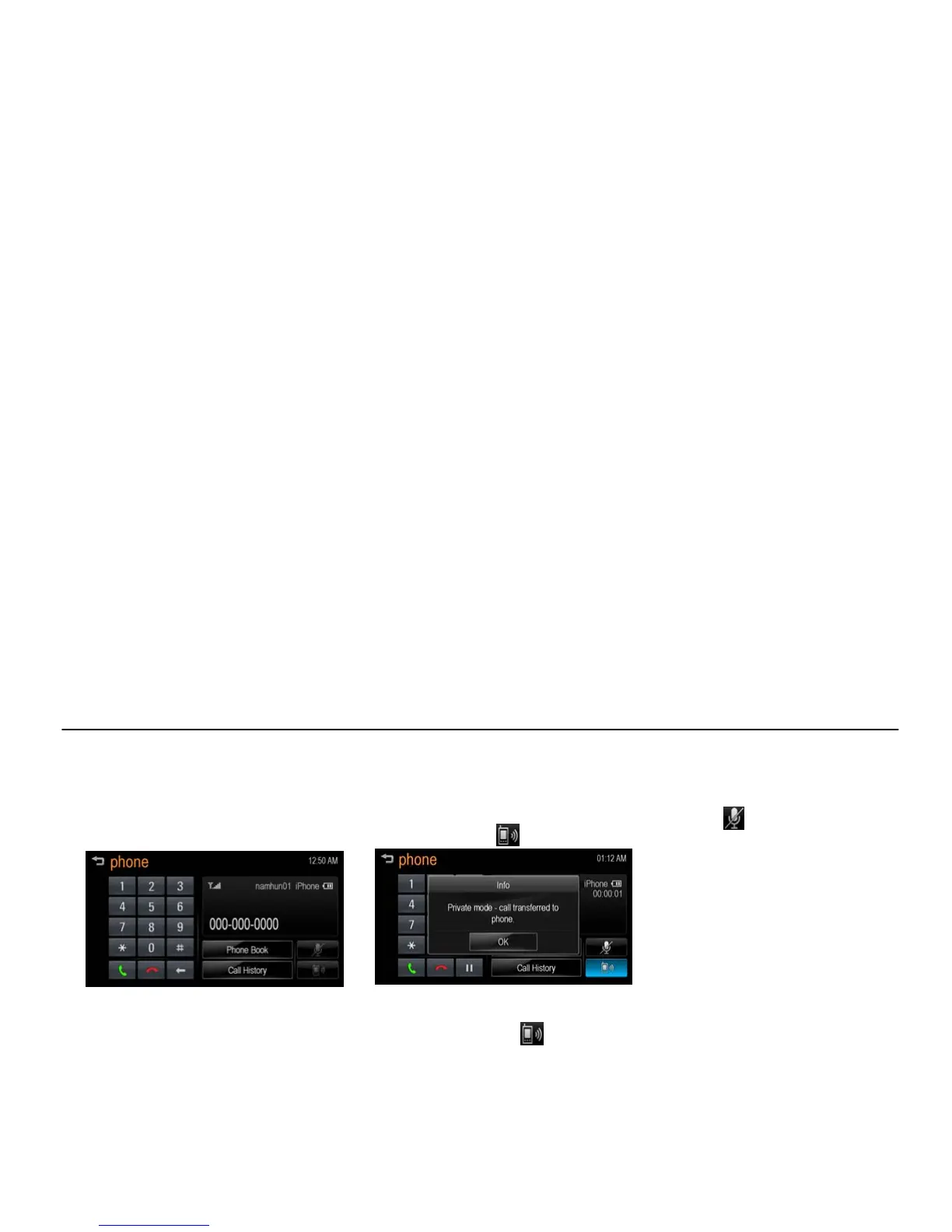
Making a call by entering phone
number [Level 4]
1. Enter the phone number using the
keypad on the "phone" screen.
[bt main number_J300 EU]
2. Press [5] on the screen.
Note
If you press the wrong number, press [] to
delete the inputted number one digit at a
time or press and hold [] to delete the
inputted number all digits.
Switching call to the mobile phone
(Private Mode) [Level 4]
1. If you want to switch the call to the
mobile phone instead of the car
hands-free, press [ ].
[ bt private_J300 EU]
2. If you want to switch the call back to
the hands-free, press [
] again.
The call is switched to the car
hands-free.
Switching the microphone on/off
[Level 4]
You can switch the microphone on/off
by pressing [
].
Calling by Re-dial [Level 4]
Hold down [5] on the "phone" screen.
Note
Redialing is not possible when there is no
call history.



 To Next Page