Infotainment System 48
Taking calls [Level 4]
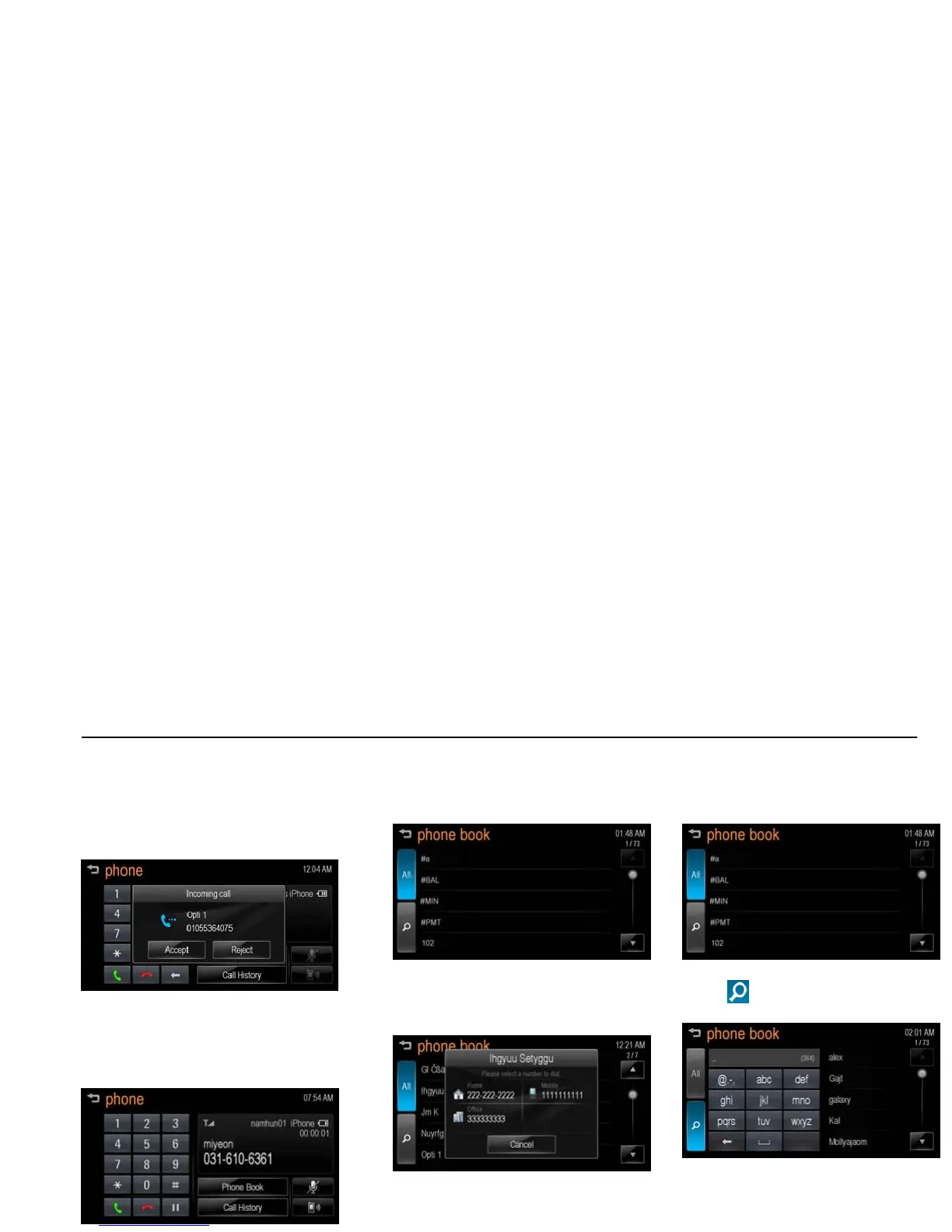
1. When a phone call comes through
the connected Bluetooth mobile
phone, the playing track will be cut
off and the phone will ring with the
relevant information displayed.
[bt incoming call_J300 EU]
2. To talk on the phone, press [Accept]
on the screen.
To reject the call, press [Reject] on
the screen.
[bt phone calling_J300 EU]
Using the Phone book menu [Level
4]
1. Press [Phone Book] on the "phone"
screen.
[bt phone book_BYOM]
2. Use [Q / R] to scroll through the list.
3. Select the phone book entry you
want to call.
[bt phone call_BYOM]
4. Press the number to dial.
Searching for phone book entries
[Level 4]
1. Press [Phone Book] on the "phone"
screen.
[bt phone book_BYOM]
2. Press [
] on the "phone book"
screen.
[bt phone search_BYOM]



 To Next Page