33 Infotainment System
Personalization [Level 2]
Personalization ........................ 33
Personalization [Level 3]
General operation of the settings
menu [Level 4]
The Infotainment system can be
customized to make it easier for you to
use.
1. Press [HOME (
)] on the control
panel.
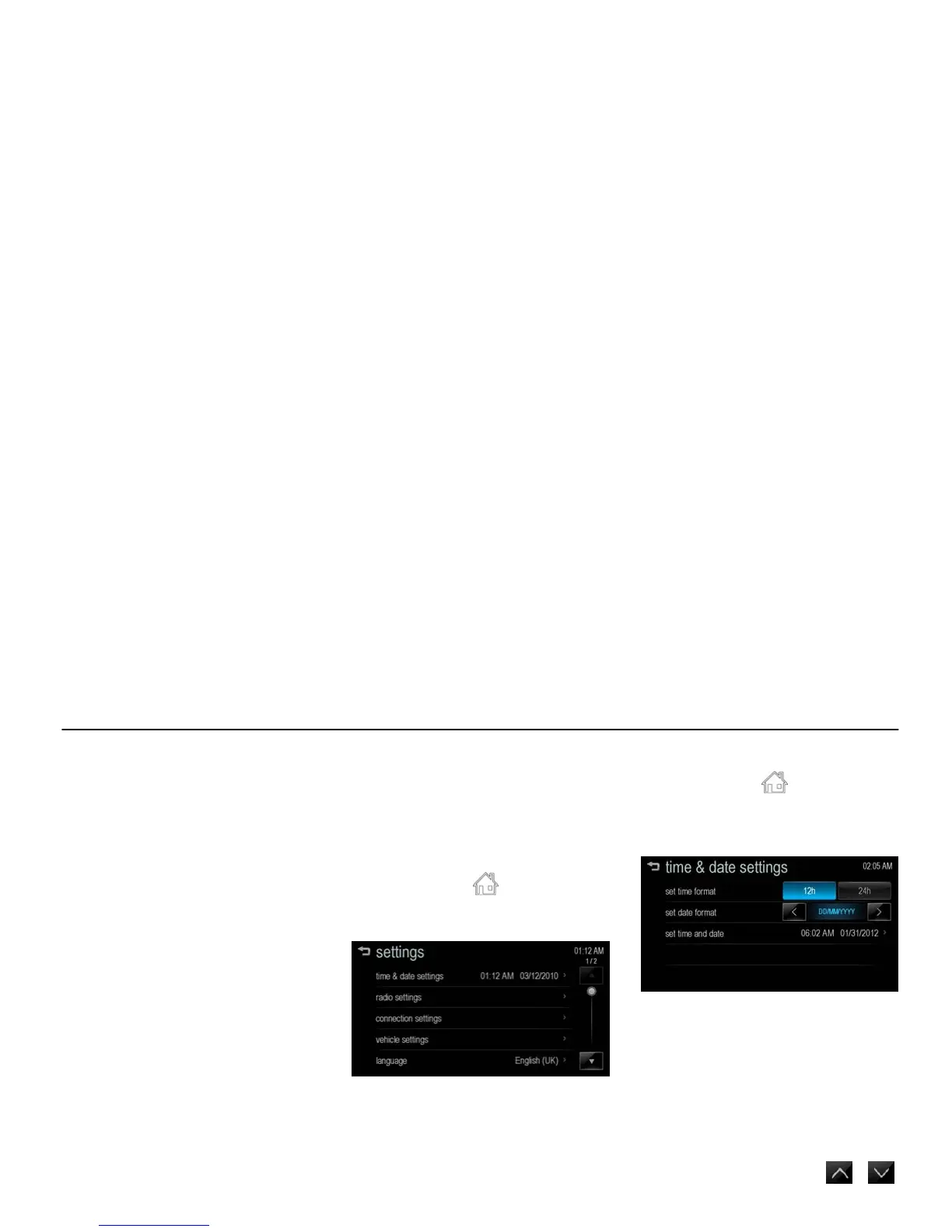
2. Press [settings].
[settings main_J300 EU]
3. Select the desired setting value.
Note
Settings menus and functions may vary
depending on your vehicle option.
time & date settings [Level 4]
1. Press [HOME ( )] on the control
panel.
2. Press [settings] > [time & date
settings].
[settings time_ONIX]
[set time format]: Select 12h or 24h
time display.
[set date format]: Set the date display
format.
- [YYYY/MM/DD]: 2012/01/31
- [DD/MM/YYYY]: 31/01/2012
- [MM/DD/YYYY]: 01/31/2012
[set time & date]: Manually set the
current hours, minutes and year/
month/ date by pressing [
/ ],
and then press [OK].



 To Next Page