When you cannot set up automatic network sharing device (UPnP setting) on
DDNS set-up In case of presence of 2 network sharing devices
15.
Method to set up a network sharing device
When you cannot set up automatic network sharing device (UPnP setting) on DDNS set-up.
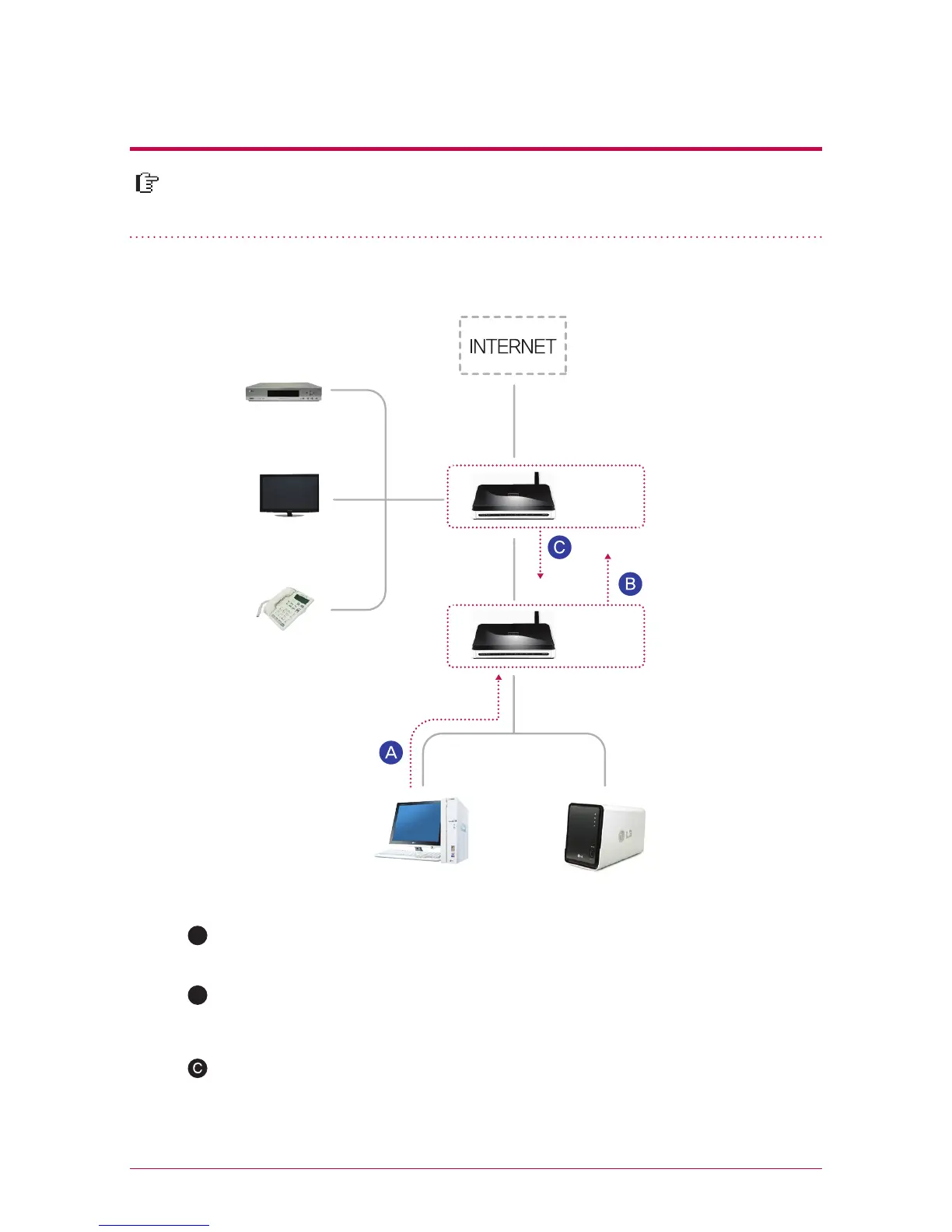
3. Case of 2 network sharing devices
A
Check IP of network sharing device2 in PC.
Check WAN IP and gateway (IP of the network sharing device1 ) on the set-up
screen of the network sharing device2.
Connect with network sharing device1 and select the DMZ set-up. Then enter
WAN IP that has been checked from the network sharing device2 in the DMZ IP
of the network sharing device1.
B
※
Please refer to a manual of the pertinent network sharing device.
※
Network sharing device1 is the case including a network sharing device provided
by the internet company.
Internet line
Network
sharing
device1
Network
sharing
device2
PC
Network
Storage
Set-top box
IPTV
Internet phone



 To Next Page