38
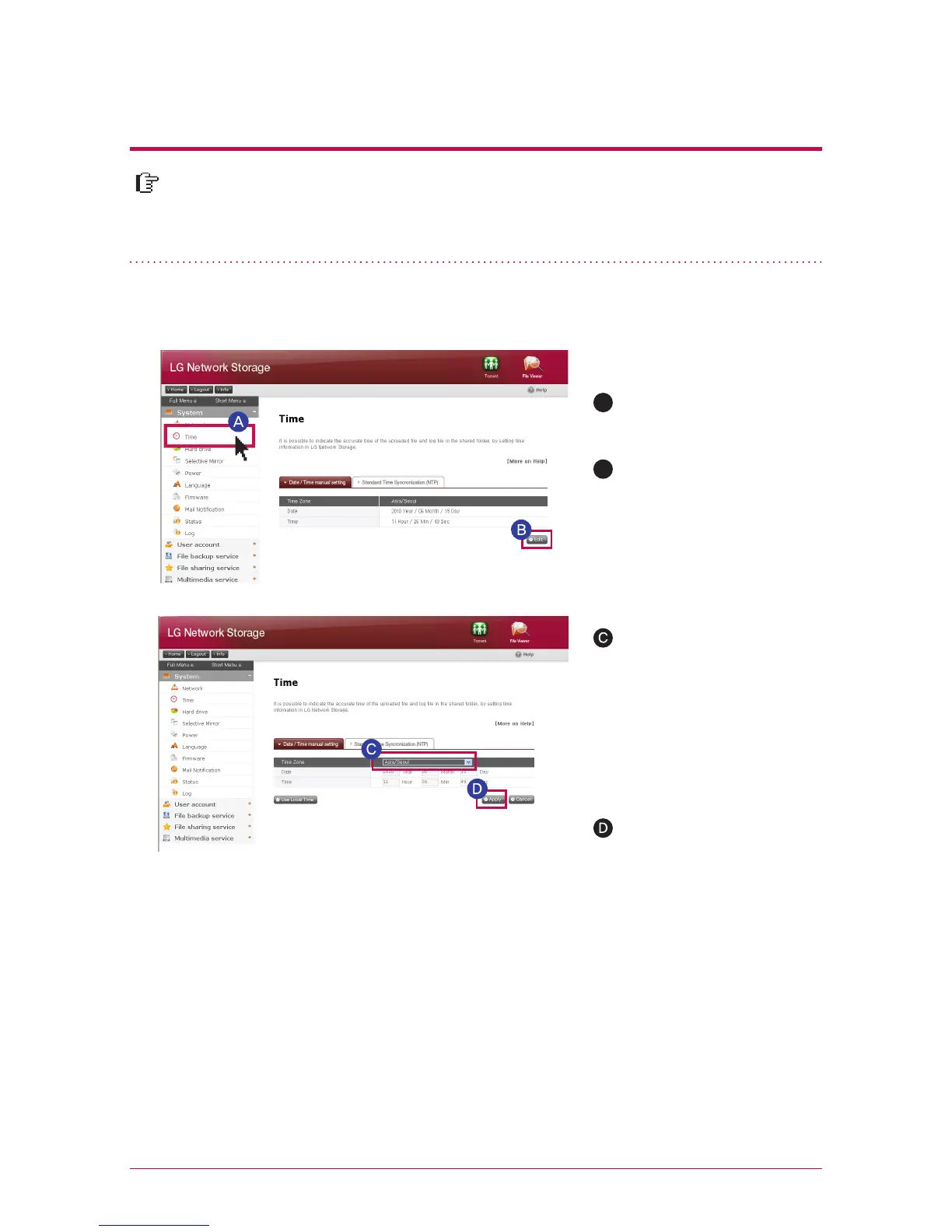
A
If you want to change date
and time, click on `Time`
button
Click on ‘Edit’ button
Click ‘Apply’ button
You can assign the region in
which LG Network Storage
is currently installed using
‘time zone’. You should enter
a correct value as a correct
time zone set-up may have
an impact on NTP action.
You can bring in the current time of my computer using an ‘Use Local Time’ button.
※
It sets up the time of the system. It is necessary to accurately set up the current
time for the correct time display of the file uploaded within the share folder and
the log file.
7
-
3.
System set-up
Date & time set-up
1. Date & time set-up
2. NTP set-up
B
Network Time Protocol (NTP) performs a regular synchronization of the system time by
obtaining the correct time from the time server from the outside. It is recommended to
activate this for the correct time to be maintained. If you use a standard NTP server, time is
obtained through pool.ntp.org server.



 To Next Page