56
8
-
1.
LG Network Storage share set-up
User set-up
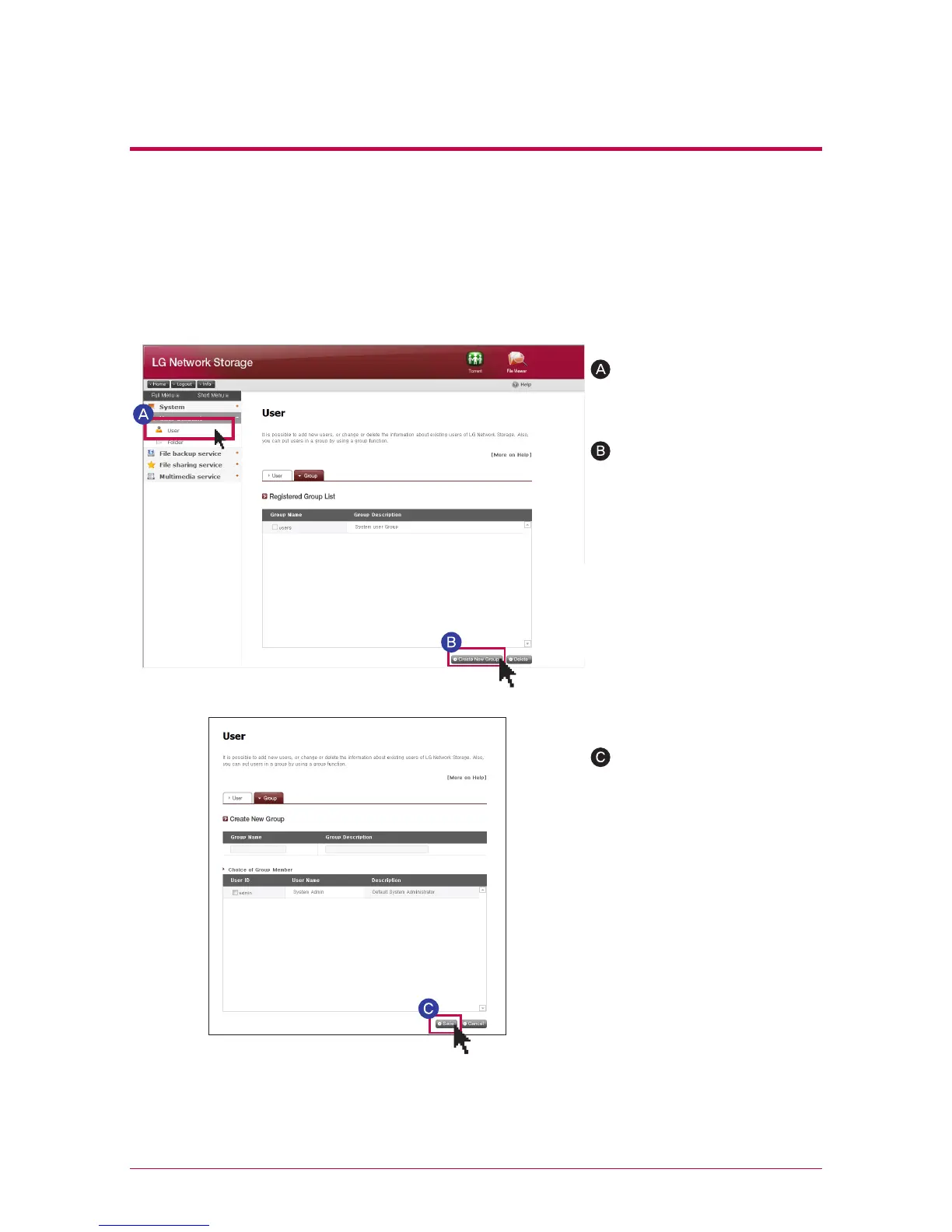
Move to `Group` tab after
clicking on `User` menu
Click on ‘Create a New
Group’
Enter a name of a group and
explanation, and click on the
check box of the user you
wish to include in the group,
and select. If you want to
remove the user from the
group, click on the check box
again and remove the check
mark. Click on ‘save’.
3. Group
It shows registered groups at present, and you can create a new group, delete the
group and add or remove users from the registered group.
4. Adding a new group
5.
Editing Groups
When you click on the group name of the list of the registered group, you can modify the
property of the pertinent group.



 To Next Page