3.
Product installation Installing Network Storage
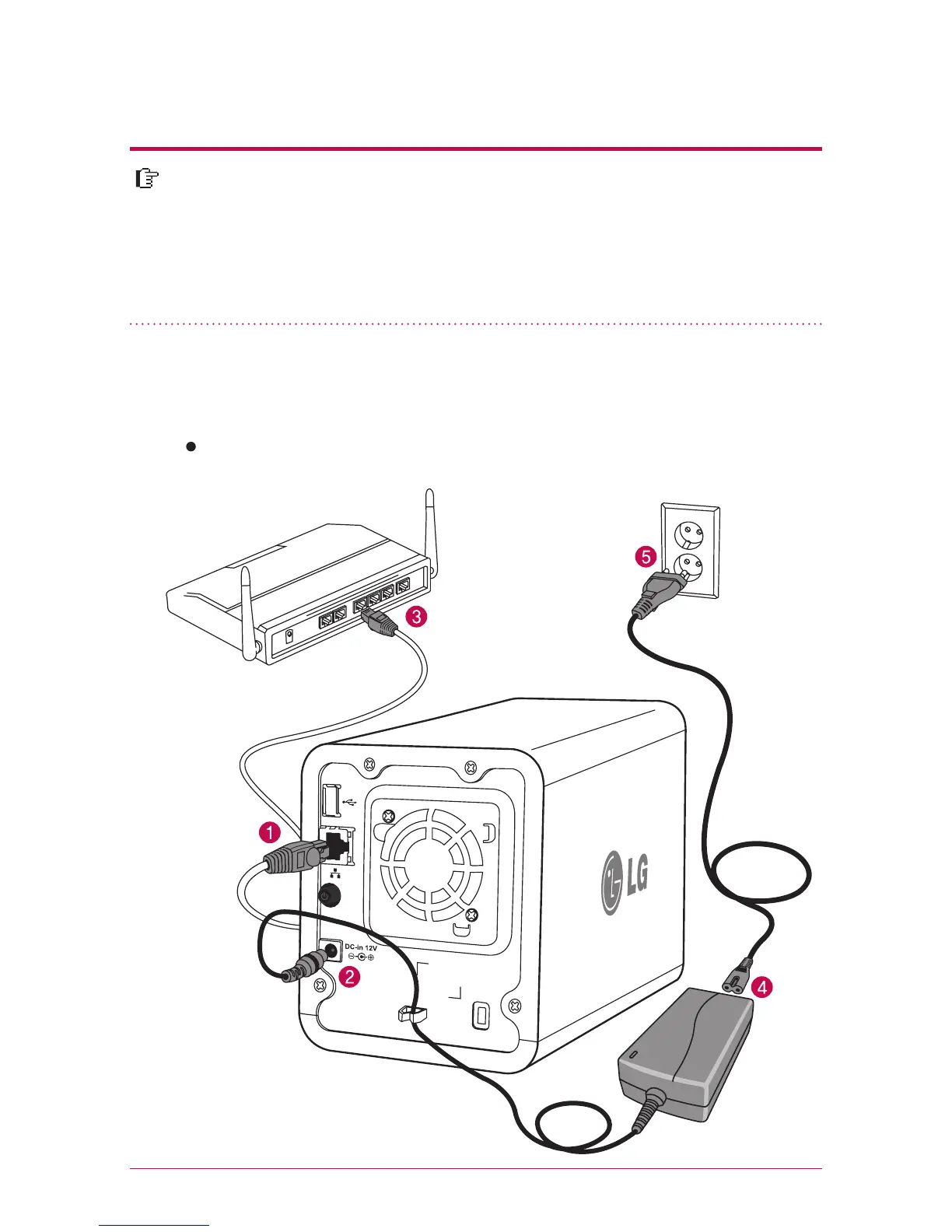
1. Connect LAN port of Network Storage with LAN port of a network equip-
ment (IP network sharing device / router / hub / switch) using a LAN cable
enclosed, or directly connect the LAN port of the PC.
When using the network equipment (IP network sharing device/switch/hub) :
Connect LG Network Storage to user’s PC using hub/switch/router as in the following.
In an environment where there is DHCP server, after connecting Network Storage
to IPnetwork sharing device/switch/hub, choose receiving IP automatically, then
the network information will be retrieved from DHCP server. In case you use a
specific IP address assigned from network IP administrator, you can easily install
if you prepare by receiving assignment of IP address, sub-net mask, standard
gateway, DNS information.
network sharing device
(Shapes may vary depending
on the network sharing device.)
Network Storage
*
*



 To Next Page