48
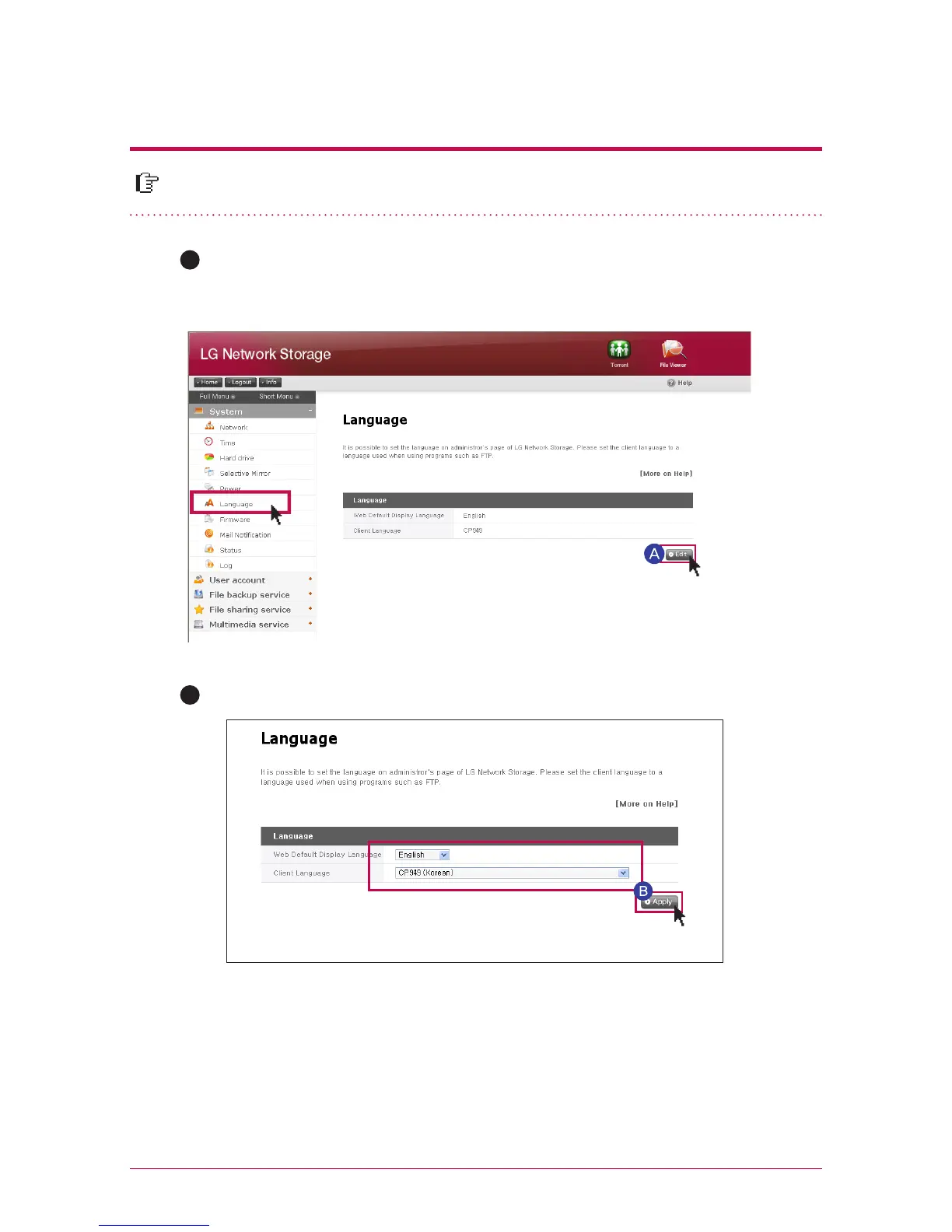
You are able to select standard display language of web menu.
7
-
8.
System set-up
Language set-up
Click on the ‘Edit’ button to set language.
After checking the language you want, press ‘Apply’ button.
A
※
Selected language is the standard language seen when the user access the web for
the first time.
※
If you set up to use cookie on browser set-up, the information regarding the
language used in the pertinent computer at the latest is saved, and it shows that
language on a next connection.
※
Client language: Select the language, which is appropriate for the client environment
of the user. (example: FTP use) In order to use various languages simultaneously,
please select Unicode. In case of selecting the Unicode, the user should use the
program Unicode is supported.
B



 To Next Page