60
It is a function to back up the data of USB device to LG Network Storage. You
can create an action in accordance with each USB device. One action is com-
posed of information such as USB device ID, subject folder, back-up method
and interval.
9
-
2.
File back-up service
USB back-up set-up
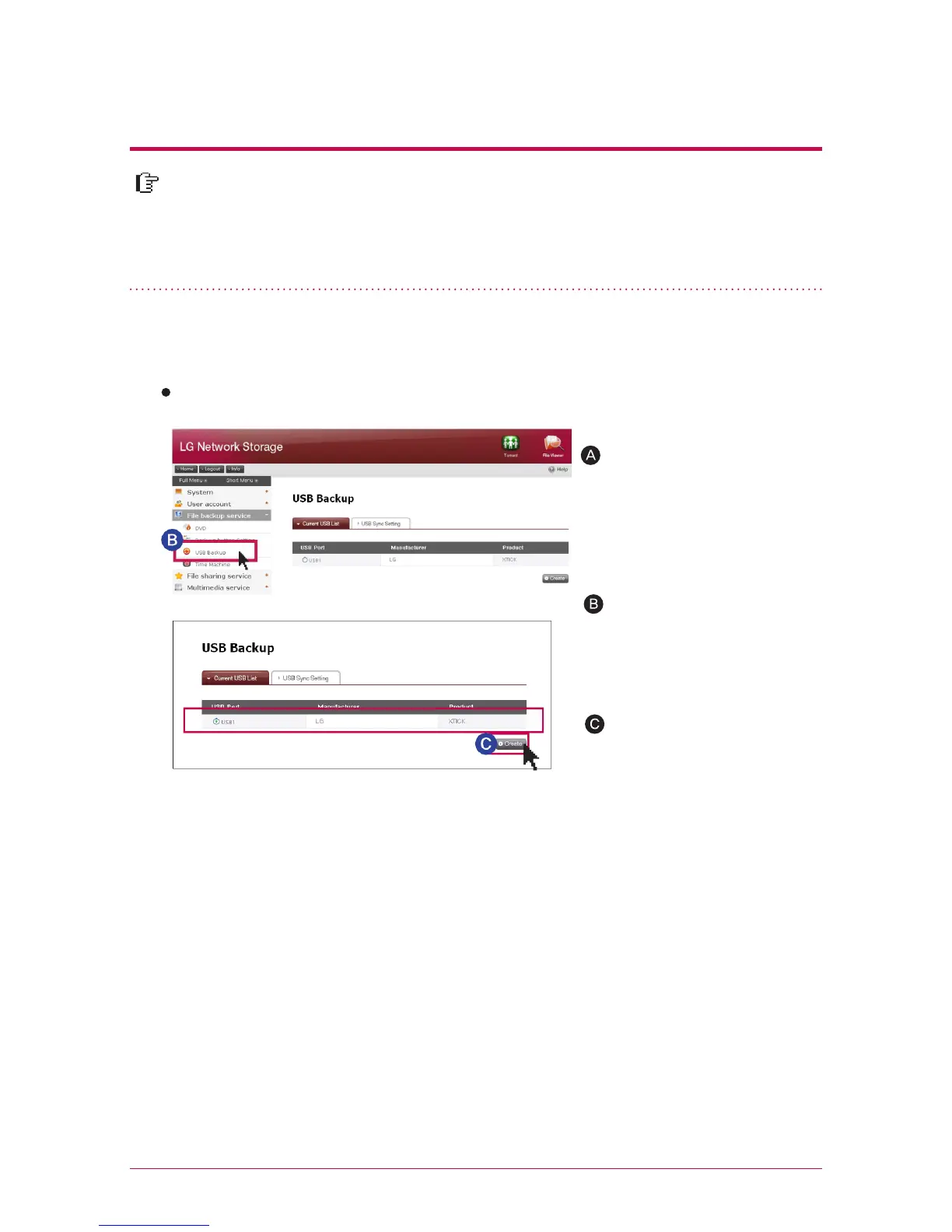
1. Current USB list
It displays the list of USB device connected to LG Network Storage
Install USB device to LG
Network Storage
File backup service
->‘
Click
on ‘USB Backup’
->
It dis-
plays the list with refresh.
Select a device you want to
back up, and press ‘Create’
button.
Back-up set-up order
※
LG Network Storage(N2T2/
N2A2) has 1 USB port in the
front and 1 USB port in the
back.



 To Next Page