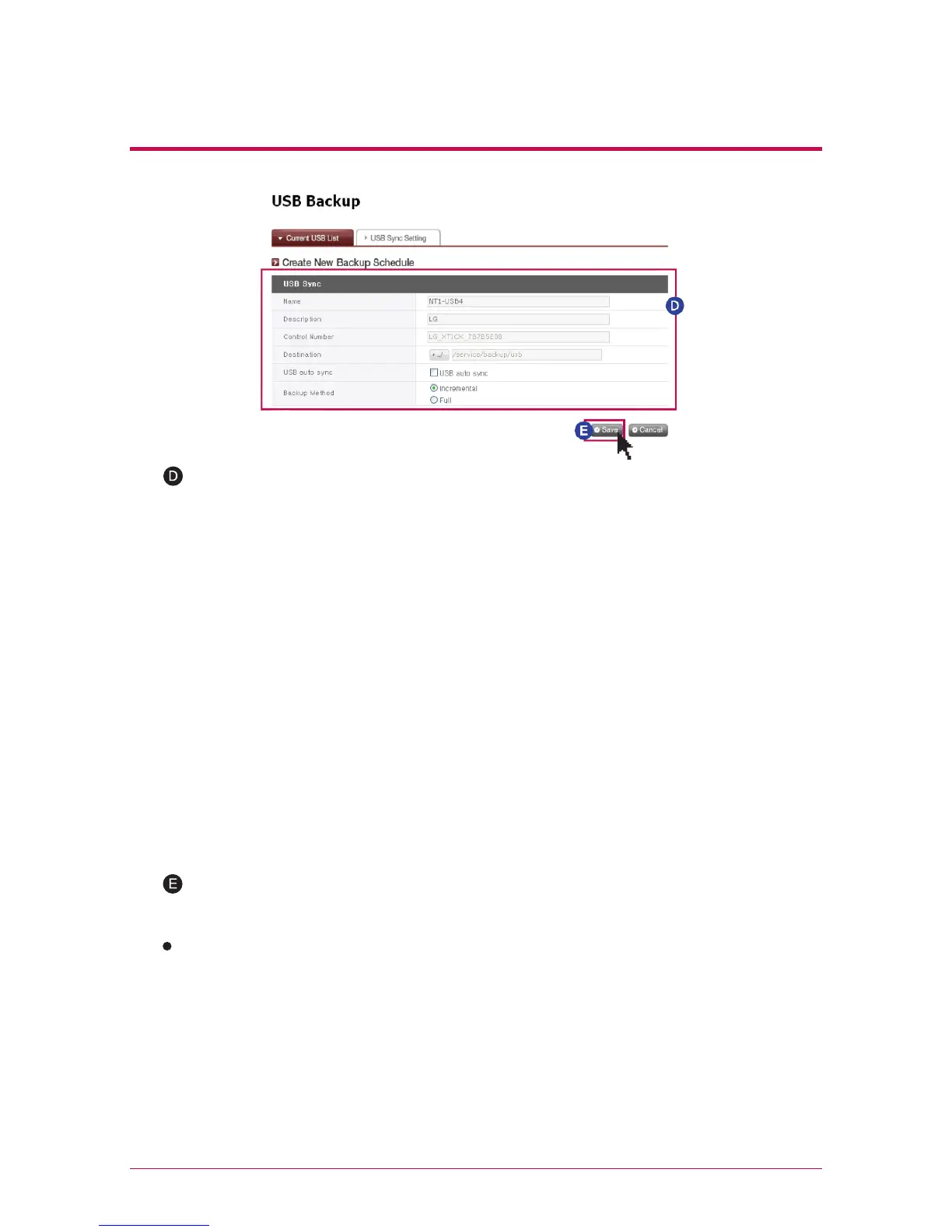
Name : Save the operation name. (Automatic creation)
Description : Enter the action explanation.
Control Number : The unique ID of the installed device is displayed. The unique ID is
created automatically from the manufacturer information and product information etc.
(automatic creation) .
Destination : Assign a subject folder that is backed up. It automatically creates a
standard folder on selecting a device. You can assign a specific folder, which is not a
standard folder.
USB auto sync : Every time USB is installed, it automatically recognizes, and automati-
cally performs back-up operation according to the set-up information. Consequently it
is not necessary to press button as with One Touch back-up.
Backup Method : It assigns a back-up type
- Incremental: back-up is performed for added information to the original since the
previous back-up only.
- Full : back-up is performed for the whole original file.
- Please refer to [Incremental back-up & Full back-up] of the back page for more
detailed information.
9
-
2.
File back-up service
USB back-up set-up
USB synchronization set-up
You can display an action list currently set up and edit or delete.
Click on ‘Apply’ button



 To Next Page