80
It is a function to set up accessibility of LG Network Storage through FTP/FTPS,
AFP.
※
In an environment using IP network sharing device, you might need to modify
the set-up of the IP network sharing device.
10
-
1.
File sharing service
File server
1. FTP/FTPS
Please refer to port-forwarding or DMZ set-up of IP network sharing device
manual.
You can use FTP access program, or open the search engine and enter ‘ftp://IP
address : port number’ in a space for address. If you do not know the IP address,
please refer to 5-1. Using NAS Detector. The port number can be changed to a ran-
dom value the user sets up. Default of FTP port number is 21. If you use the default
(21), you can access while omitting 21.
※
When using DDNS service LG Network Storage provides, you can access using
‘ftp://myname. lgnas.com:port number’ instead of IP address. For more details,
please refer to remote access of the system <DDNS>.
※
If you use port 21, a default, you cannot access using ftp://IP address or ftp:// my-
name.lgnas.com while omitting the port number.
※
Log in by entering the user name and the password.
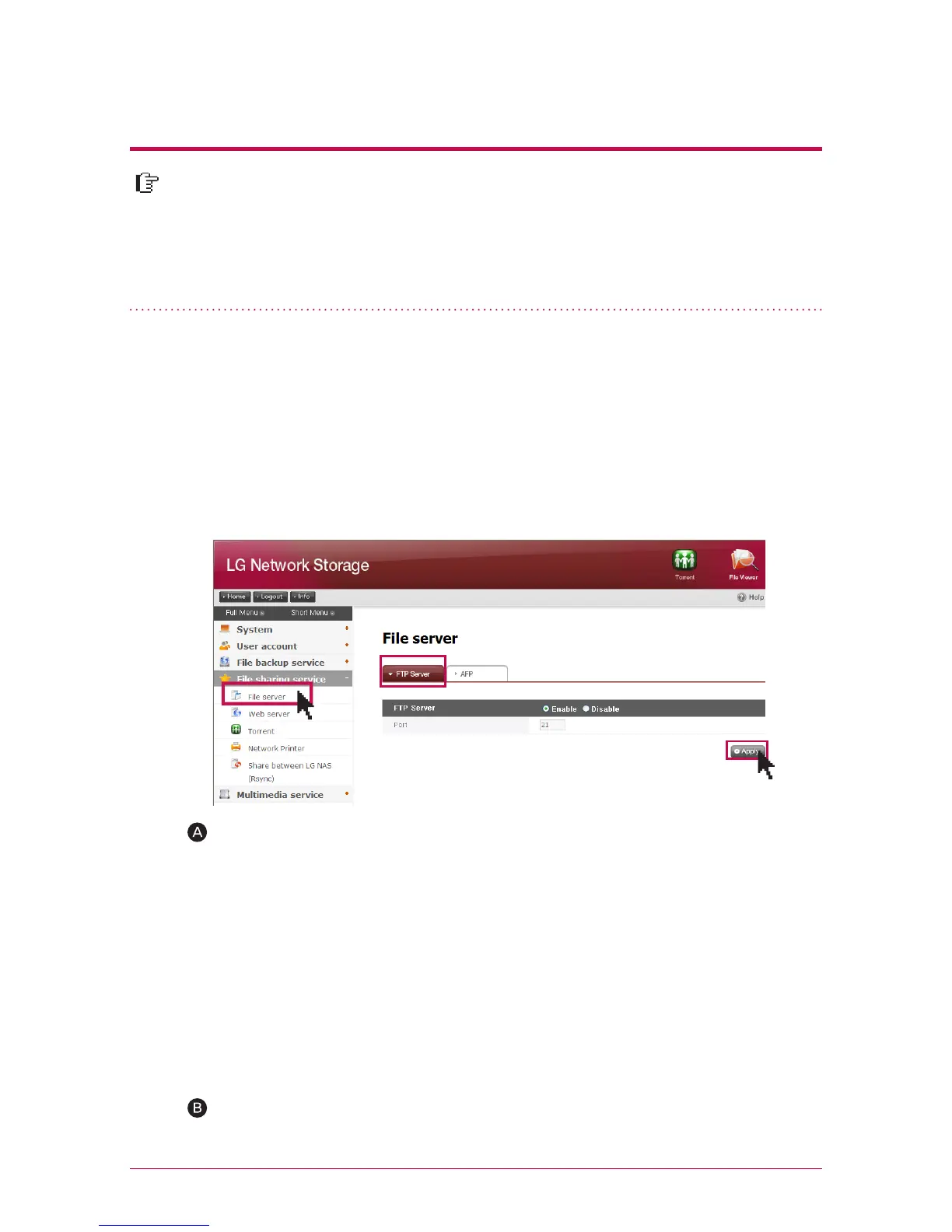
FTP provides a convenient environment when accessing LG Network Storage on
internet. To use FTP service, click on File sharing service -> move FTP server ->
“Enable”-> “Apply” Then follow steps as in the following. The method is the same for
other OS.



 To Next Page