23
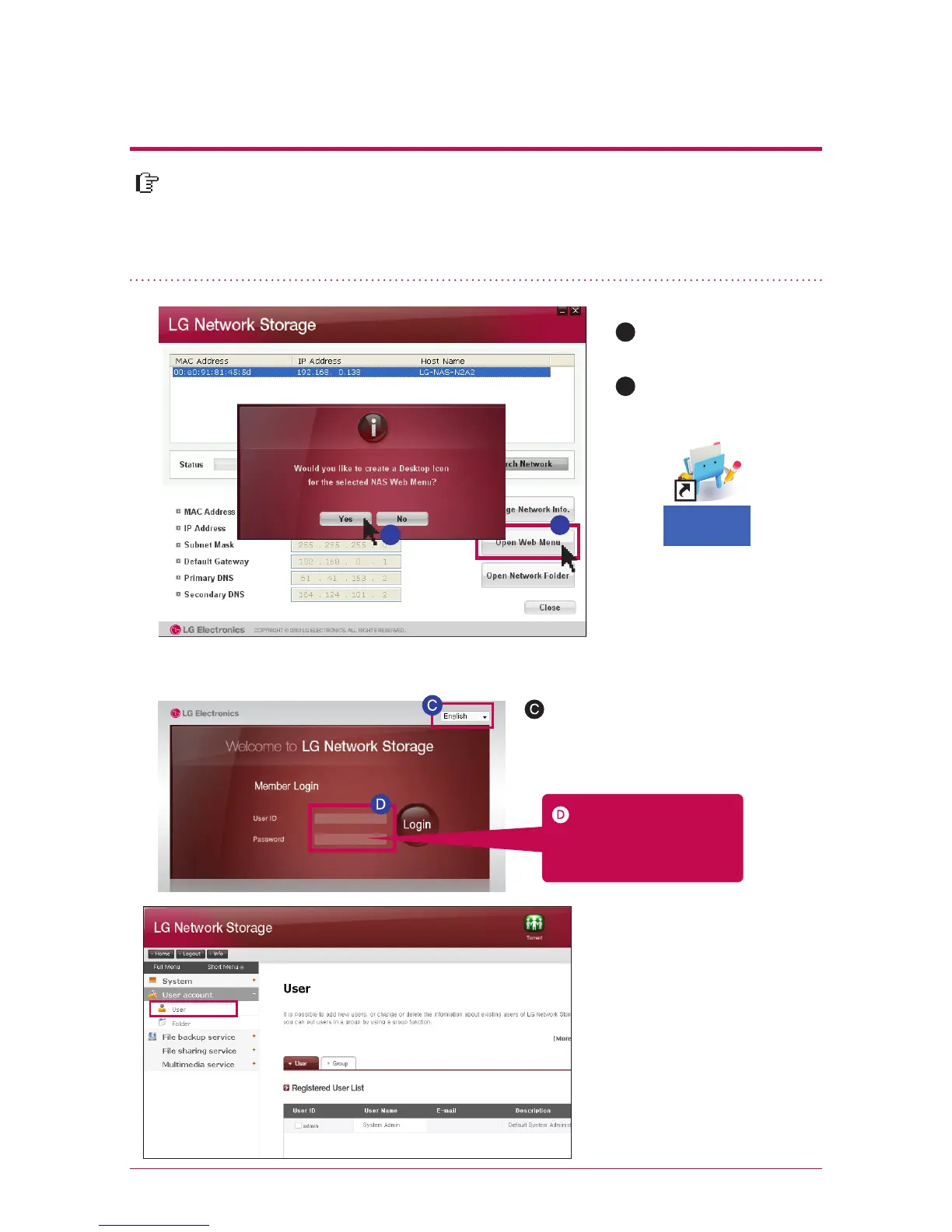
On web menu, you can manage LG Network Storage use including setting up a
network information of LG Network Storage, share management, service man-
agement. You can also set up data storage using DVD drive, back-up of mobile
device on this.
5
-
2.
Using Network Storage Using web menu
Due to security reason, it is logged out au-
tomatically in case you do not perform any
action for 20 minutes after logging in.
※
※
You can change a set-up of
Network Storage.
A
Click on ‘open web
menu’
Choose on a pop-up
window of ‘web menu
short-cut’.
B
A
Logging in by entering
an user ID, ‘admin’, and a
password, ‘admin’.
Select the language you want
Please change the password
for security.
(web menu -> administrator
account -> user -> change
password after clicking on
‘admin’
※
B



 To Next Page