44
7
-
6.
Selective Mirror
Selective data protection for folders
1. Add Selective Mirror List
The Selective Mirror function automatically generates copies of certain folders,
which allows data recovery even after the loss of source data. If SMB (Samba)
and FTB is used to store data in the LG Network Storage and a change incurs
in the source folder, the same change will apply to the destination folder and the
source folder will be double protected.
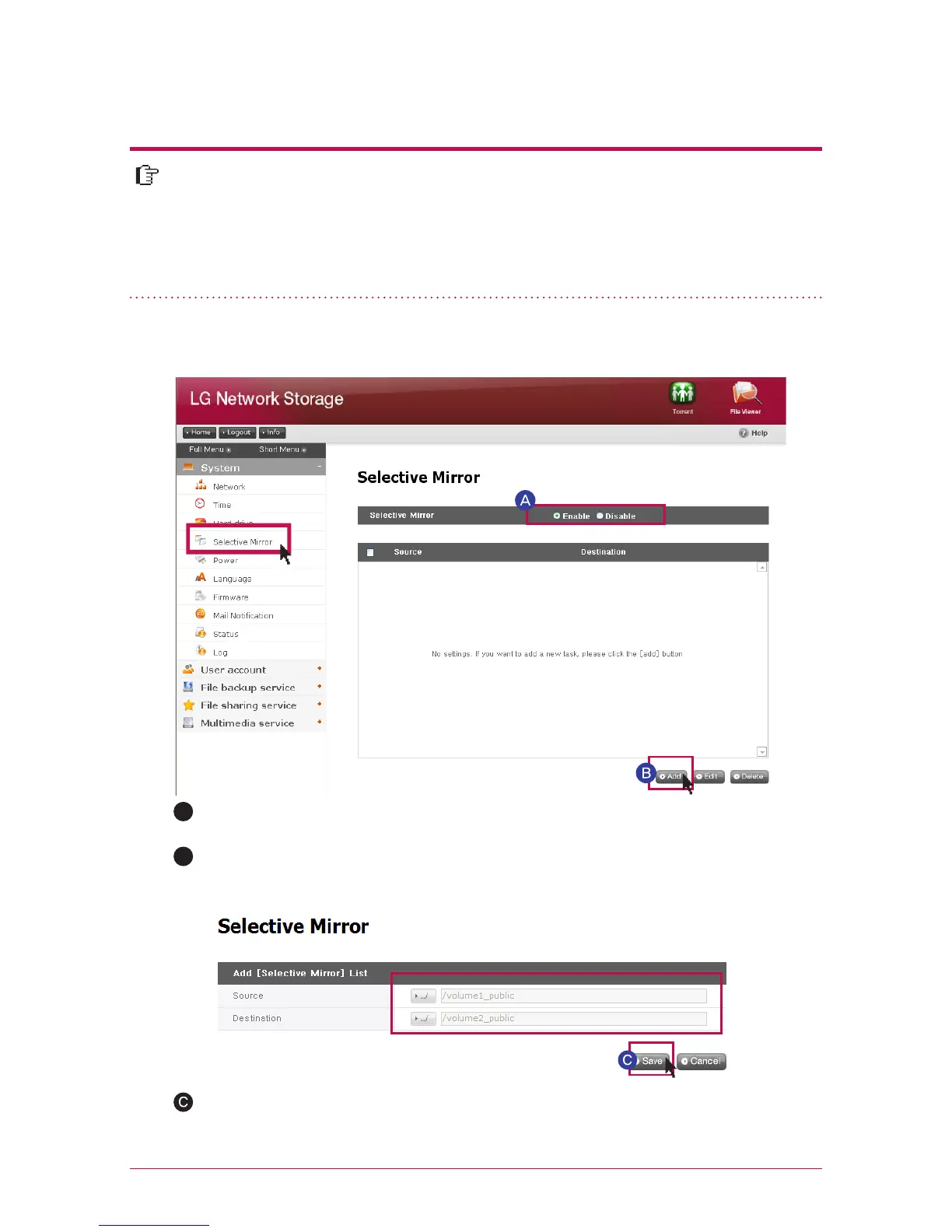
Choose Selective Mirror activation.
A
Under “source path”, select the folder to be backed up and under “destination
path” select the folder that will save the back-up data. Once the save button
is pushed, a new list will have been added.
B
Pressing the add button will move the screen to add a new list.



 To Next Page