31
6
-
3.
Using network
Connecting in Linux OS
A
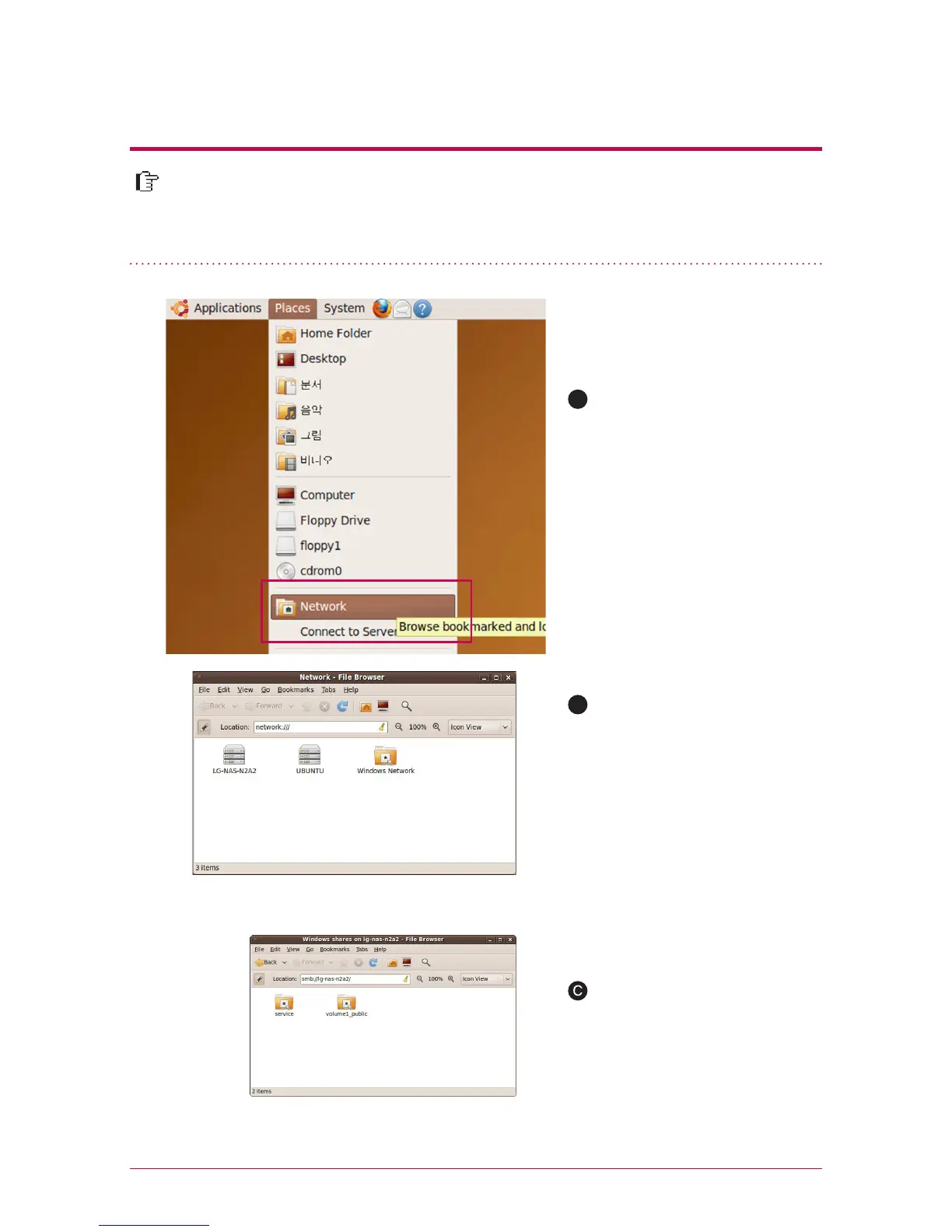
After clicking on ‘Place’ on the
menu bar, select ‘Network
When you click on ‘network’, LG
Network Storage is displayed.
Please select LG Network Stor-
age name to connect here.
If you select LG Network Storage,
the folder list of LG Network
Storage is displayed. Please se-
lect a volume (example: service
/ volume1_public) to use.
B
LG Network Storage supports Linux system through SMB service on top of
Windows and MAC OS. A connecting method in Linux system is as follows. It is
explained with ubuntu as a standard here.



 To Next Page