25
NAS Monitor provides several functions for users to easily use LG Network Stor-
age.
For example, when opening a network folder or trying to access web page, one
can perform the action easily by clicking on a menu of NAS monitor.
5
-
4.
Using Network Storage
Using NAS Monitor
A
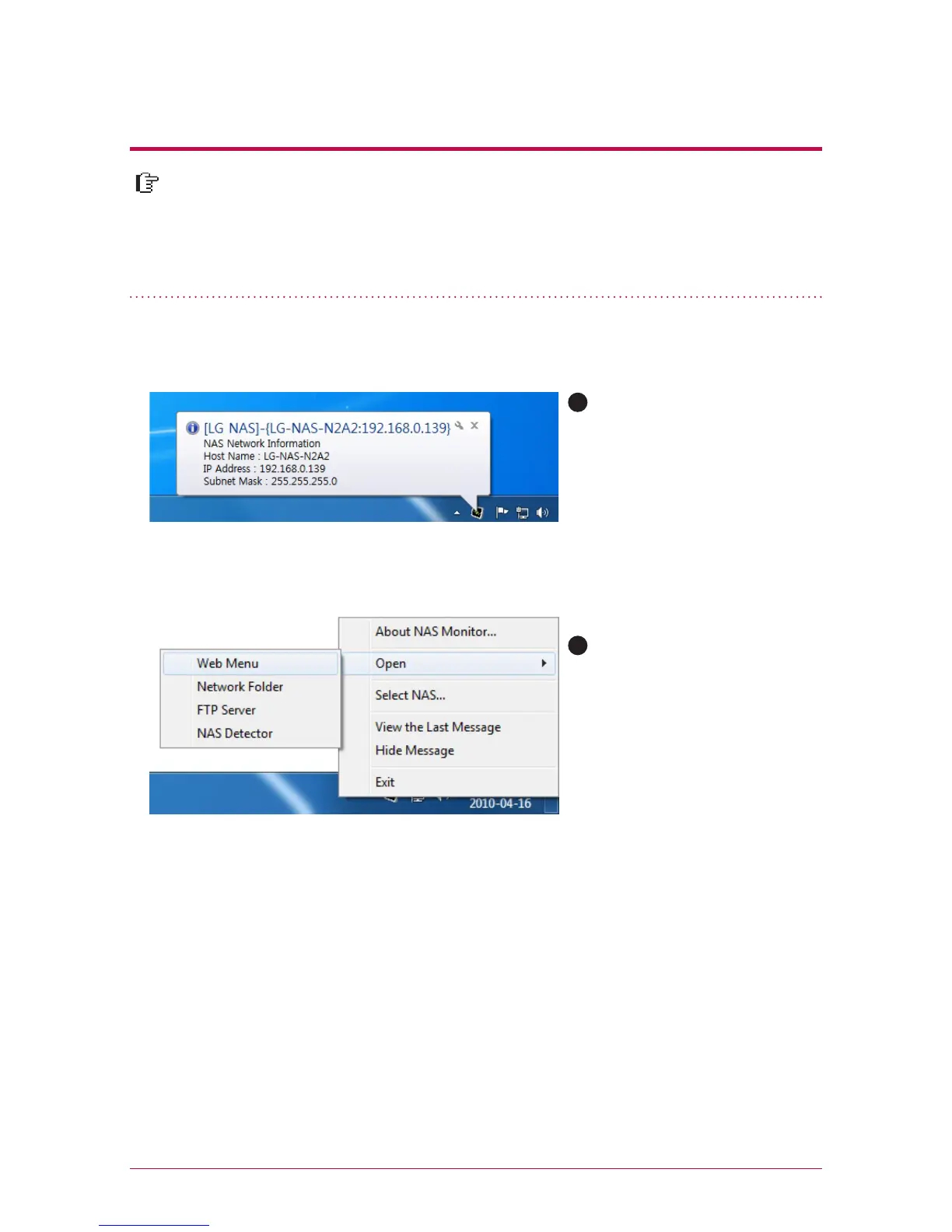
Basically NAS monitor brings
in IP address information while
automatically communicating
with LG Network Storage. There-
fore even when the IP address is
changed, the user is able to ac-
cess open network folder or web
without a specific set-up.
When NAS monitor is activated,
it is operated as a form of tray
icon of the window, and you
can check this on the bottom
of the right side of the screen.
The screen below is the menu
screen, which appears when you
click on the right button of the
mouse.
B



 To Next Page