27
File share service is the most important function of LG Network Storage. In this
chapter, a method to use LG Network Storage as a network drive for different OS
such as Windows, Mac, Linux is explained.
6
-
1.
Using network
Connecting in Windows OS
1. PC applied program use
2. Use a ‘run’ function of Windows OS
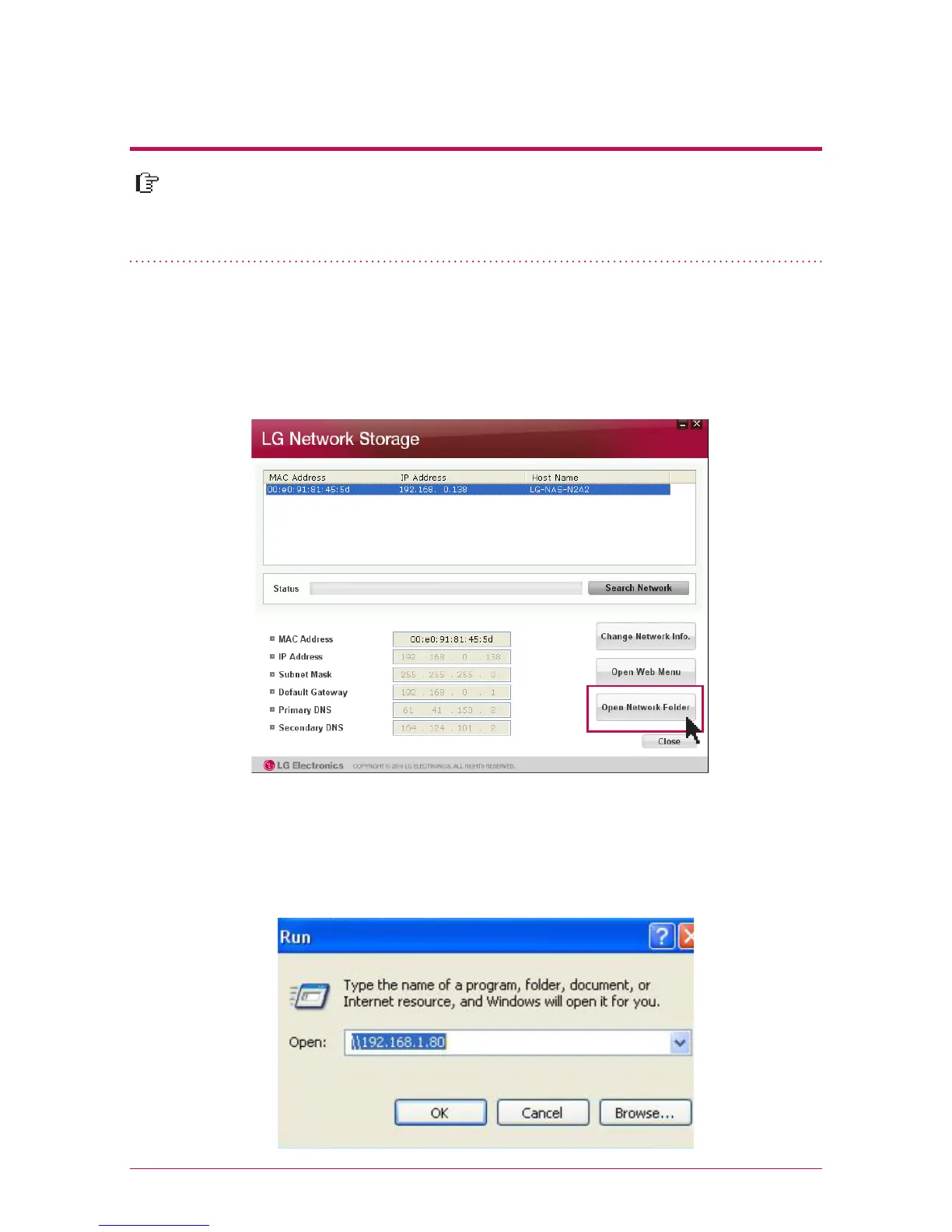
After installing the NAS detector program of LG Network Storage PC Software
Installer disc, run the program and click on “Open Network Folder” button. Then you
can connect to the share folder of LG Network Storage.
When you click on “run” on the start menu of Windows OS and enter ‘\\IPaddress’,
then you can connect to LG Network Storage. Please refer to 5-1. Using Network
Storage [Using NAS Detector] if you do not know IP address.



 To Next Page