55
It shows currently registered users, and you can create a new user and modify or
delete the information of the registered user.
8
-
1.
LG Network Storage share set-up
User set-up
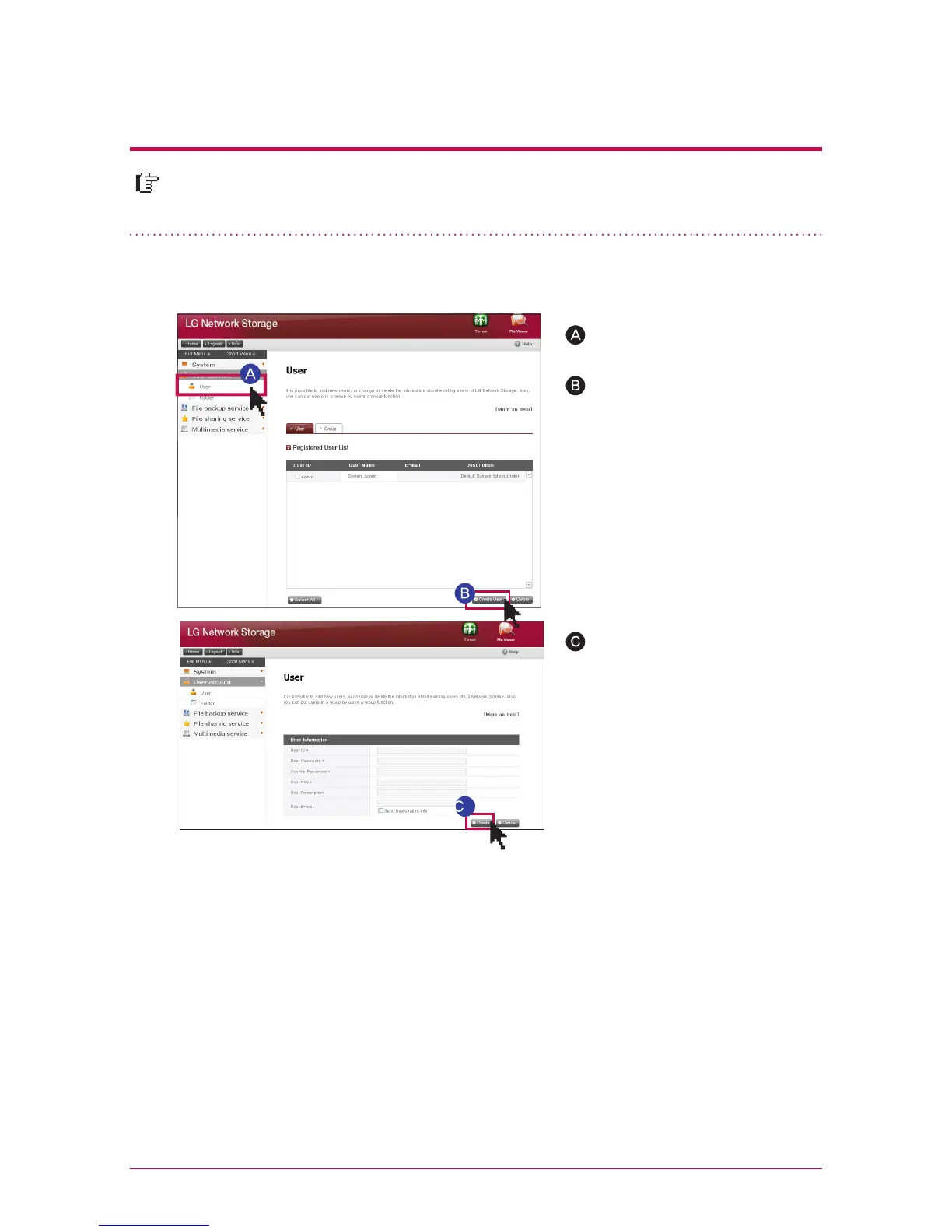
Click on ‘User’
Click on `Create User` whom
you will share it with.
After setting up the ID and
password of the user whom you
will share with, click on ‘Create’.
1. Add user
You can go into editing mode by clicking on the user’s name of the list of the regis-
tered users. You are able to change all of the information of the user except for ID.
2. Editing user’s information
※
You cannot use the ID that
is the same as users who have
already registered.
※
Enter the user’s email. When the mail server set-up is in a correct state, you can send
the result of the registration via email. For more details regarding mail server set-up,
please refer to <mail alert service>.



 To Next Page