7
-
6.
Selective Mirror
Selective data protection for folders
※
※
※
Only one item can be edited at a time.
To maximize the effects of Selective Mirror, it is recommended to set up different volumes for the
source folder and the destination folder.
Conditions
- The source folder and the destination folder cannot be the same folder.
- One source folder may have up to 4 destination folders.
- A folder designated as a source folder cannot be designated as a destination folder in another setting.
- A subfolder of a source folder cannot be designated a destination folder.
- A folder designated as a destination folder cannot be designated as a source folder in another setting.
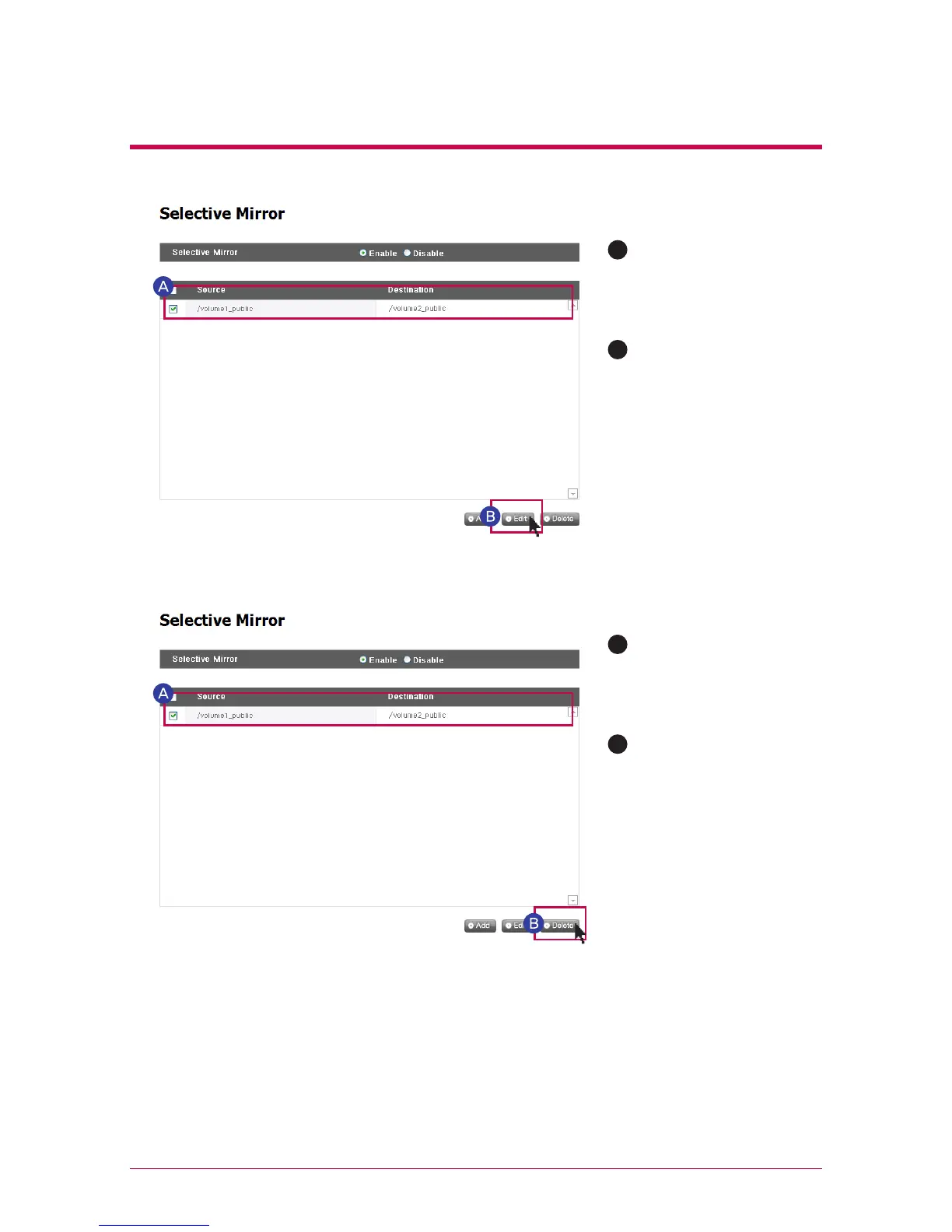
2. Edit Selective Mirror List
3. Edit Selective Mirror List
Checkbox the item to
be edited and press
the ‘edit’ button.
Checkbox the item to
be deleted.
A
A
B
B
Edit the “source path”
and the “destination
path” and press “OK”
to confirm the edited
set-up.
Press the “delete”
button to confirm the
deleted set-up.
※
More than one item at a time can be deleted.



 To Next Page