18
COMMUNICATIONS
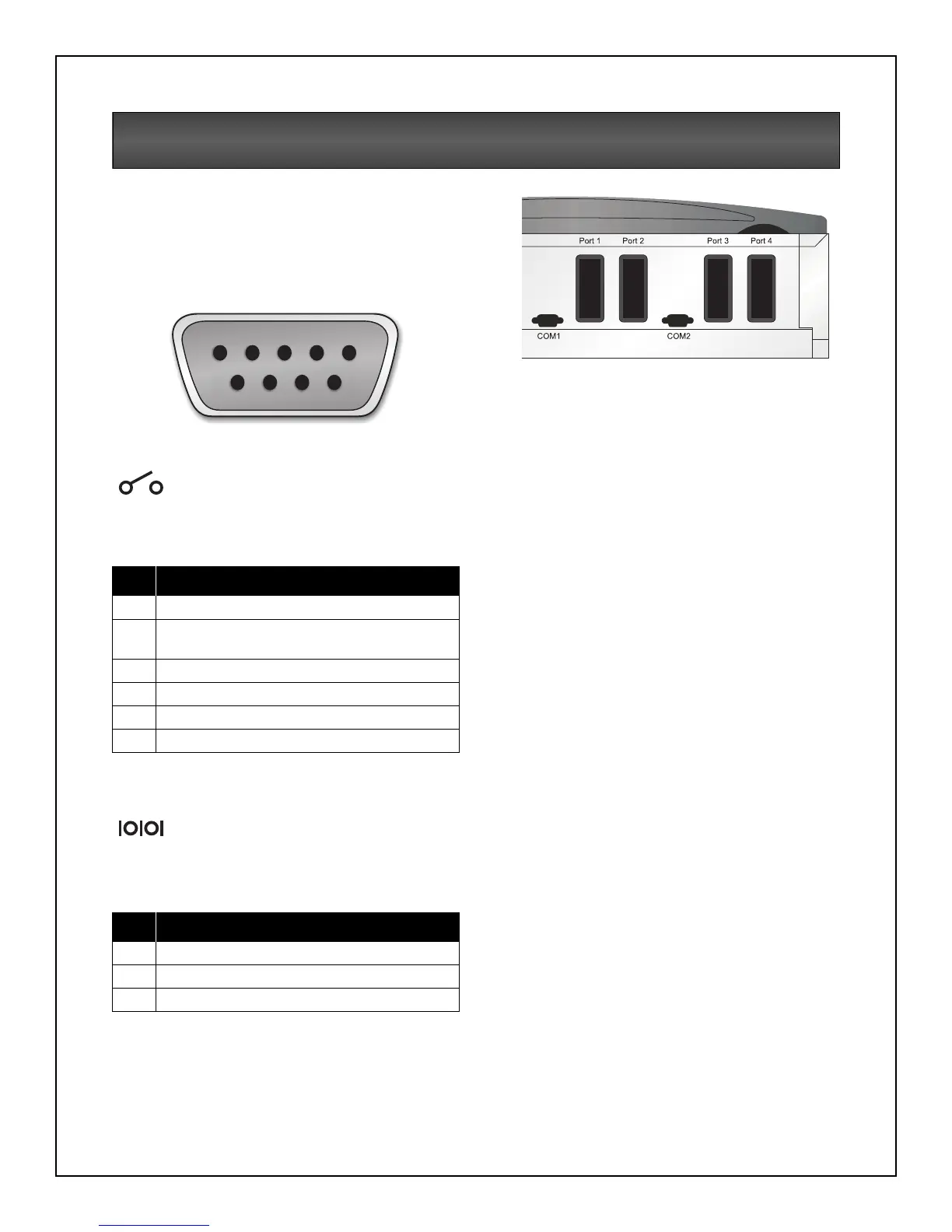
COM Ports
Nfinity is able to communicate through multiple
communication ports simultaneously. Only use
Liebert provided communication cards. Only
connect SELV circuits when connecting to any
communication port.
Pin Assignment
COM 1 - Relay Contacts
Relay contacts are available through a DB-9F
communications connector. Contact closure
provides the following:
Thecontactsarerated48VDC,1ampmaximum
and are compatible with the MultiLink software.
COM 2 - Serial
Nfinity is able to communicate via Liebert
proprietary protocol. The pin-out configuration of
the DB-9 connector is:
Intellislot
™
Ports
The following communication cards may be used
with Nfinity:
• Intellislot
™
SNMP cards - allows the Nfinity
communicate intelligently with your Ethernet
network. The SNMP card must be installed in
port 1; any additional cards can be added in
consecutive ports.
• Intellislot
™
MultiPort4 cards -allowsupto
four client computer systems to
simultaneously monitor the status of Nfinity.
• Intellislot
™
Relay Contacts cards -provides
contact closures for remote monitoring of
alarm conditions; On Battery, On Bypass, Low
Battery, Summary Alarm, UPS Fault and On
UPS signals. It will integrate with AS400
computers (additional cable required) and
other monitoring systems.
Pin Assignment
1 Low Battery (normally open)
4 UPS shutdown in battery mode
(5-12 VDC for 1.5 sec)
5Common
7 Low Battery (common)
8 On Battery (common)
9 On Battery (normally open)
Pin Assignment
2 Transmit Data
3 Receive Data
5Common
54321
6789



 To Next Page