23
OPERATING PROCEDURES
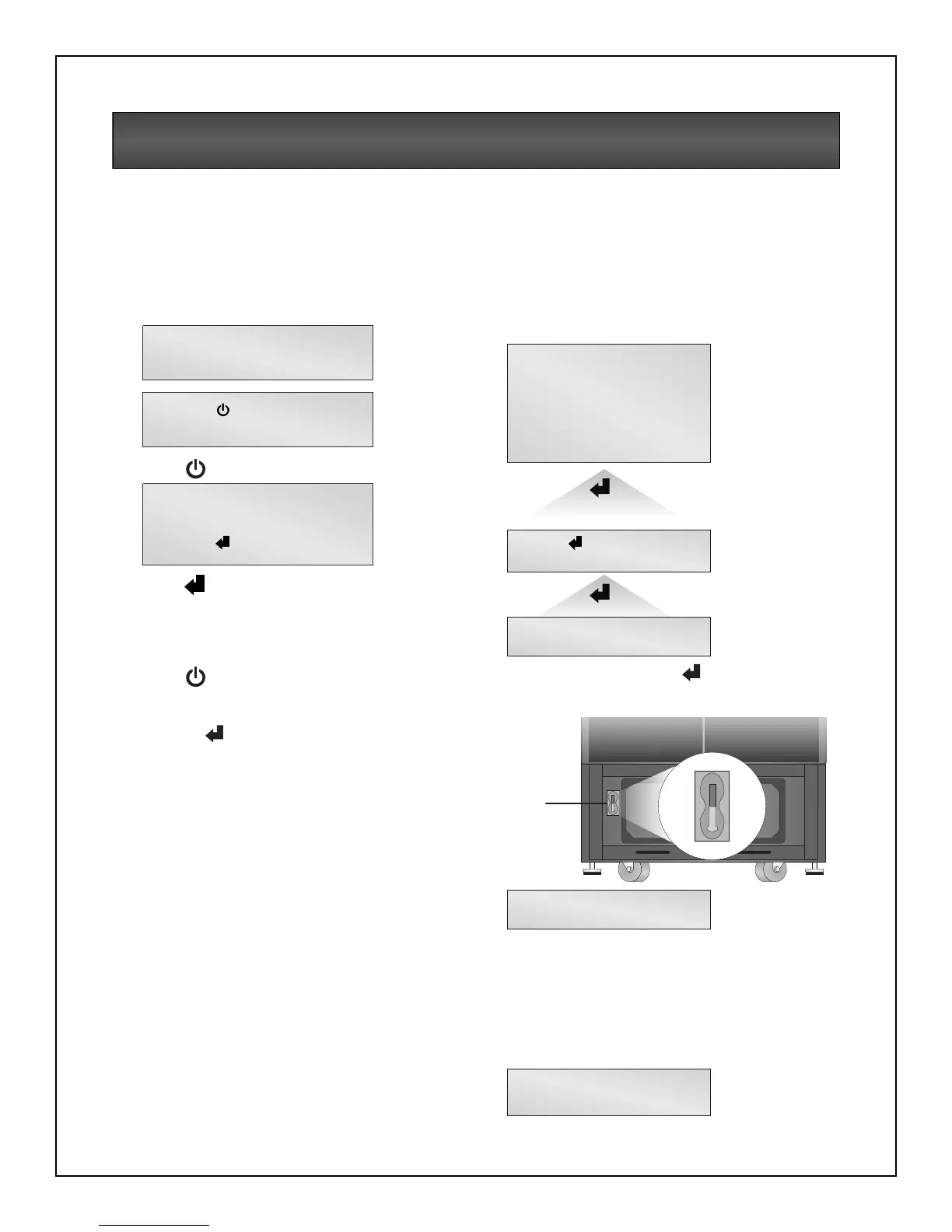
Start-Up and Initialization
Follow these steps to start up the UPS.
1. Ensure the manual bypass switch (SW1) is in
UPS position. Close Input Circuit Breaker
(CB1) and close the Control Enable Switch
(SW2). You should see the following on the
LCD window:
2. Press button.
3. Press to access the Main Menu.
Shutting Down the UPS
Use the following procedure to power down the UPS.
1. Press to disable power from the
connected equipment.
2. Verify request to disable the output by
pressing .
3. Turn off the Enable Switch (SW2). Open the
Input Circuit Breaker (CB1).
Manual Transfer to Bypass
In the event of a UPS overload or failure, the UPS
will transfer to bypass via its automatic bypass
switch. It is possible for the user to manually
transfer the UPS to bypass by operating the
manual bypass switch located behind the lowest
front cover to the bypass position.
Follow the on-screen instructions.
It should be noted that once is pressed, the
bypass alarm will annunciate and cannot be
canceled until the manual bypass switch is operated.
It should be noted that the load is not protected
from AC Mains interruptions when in bypass mode.
To transfer the UPS from bypass to normal mode,
simply operate the manual bypass switch back to
the UPS position.
On return from bypass, the following screen will be
displayed.
UPS Initializing
Please wait...
Press to Enable UPS
Output.
On Mains/Utility
Output kVA = xx.x
Battery Minutes yyy
Press for menu
Transfer to Bypass
Press for bypass
Press ESC to cancel



 To Next Page