REDCAT User Manual
REDCAT User Manual | 14
MOUNT BASE/WALL BRACKET
SETTING UP THE REDCAT (cont’d)
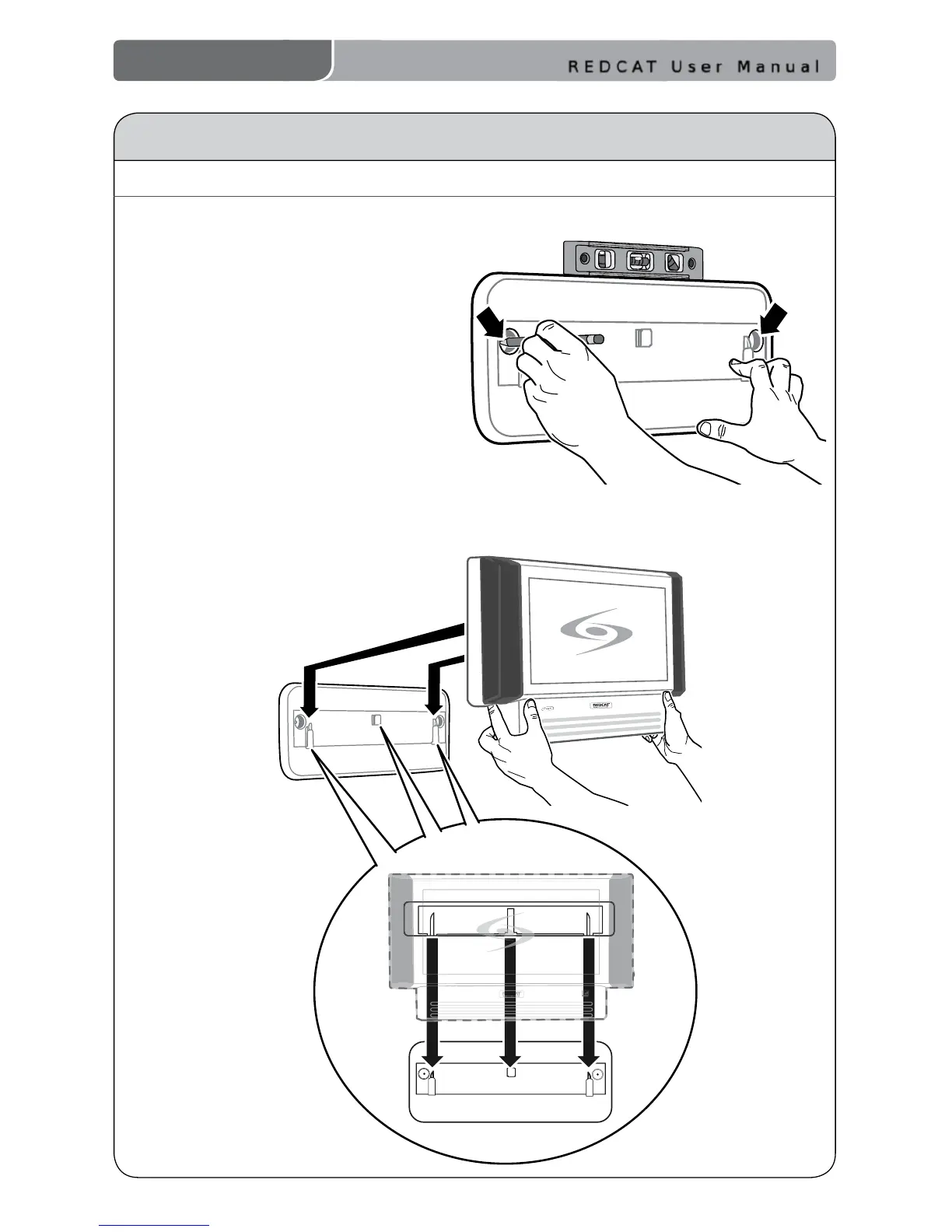
1. Ensure proper orientation of the
bracket as shown in the illustration.
2. Place the base/wall bracket against
the wall and use a level to conrm
the positioning is straight.
3. Mark the wall where the retaining
screws will be installed.
4. Attach the bracket to the wall
using the mounting screws and
drywall anchors (if required).
5. Holding the REDCAT rmly by the
bottom quarter, slide the REDCAT
onto the wall bracket as illustrated
below.


 To Next Page