EasyManua.ls Logo

Lightware HDMI-TPS-TX226 - User Manual

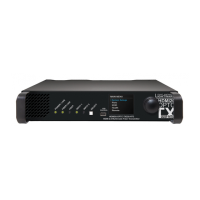
Lightware HDMI-TPS-TX226
159 pages
Print Icon
To Next Page IconTo Next Page
Loading...
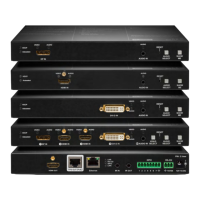
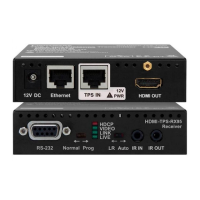
HDMI-TPS-TX210, HDMI-TPS-TX220
HDMI-TPS-TX226
DVI-HDCP-TPS-TX210, DVI-HDCP-TPS-TX220
DP-TPS-TX210, DP-TPS-TX220
SW4-TPS-TX240, SW4-TPS-TX240-Plus
User’s Manual
HDBaseT
TM
Multimedia Extender
v3.2

Table of Contents

Questions and Answers

  • W
    wclaySep 12, 2025
    How to troubleshoot LAN connection issues with Lightware Transmitter?
    • C
      Cynthia MathisSep 12, 2025
      If you cannot establish a LAN connection with your Lightware Transmitter, try these steps: * **IP Address:** If using a fixed IP address, ensure it is correct. Alternatively, enable the DHCP option to use a dynamic IP address. * **Factory Default:** Restore the factory default settings (with fix IP). * **IP Conflict:** Check for IP address conflicts with other devices on the network.
  • D
    dmooreSep 14, 2025
    What to do if connected serial device doesn't respond to Lightware Transmitter?
    • R
      Robert JonesSep 14, 2025
      If a connected serial device is not responding to the Lightware Transmitter, consider the following: * **Cable Connections:** Check the serial cable connectors to ensure they fit well and verify the wiring of the plugs. * **RS-232 Settings:** Check the port settings of the transmitter, receiver, and connected serial device(s). Pay attention to Link and/or Local ports. * **RS-232 Mode:** Verify the RS-232 mode settings (pass, control, or command injection).
  • T
    Tiffany KimSep 16, 2025
    How to unlock front panels on Lightware Transmitter?
    • K
      karen00Sep 16, 2025
      If the front panels of your Lightware Transmitter are out of operation, the front panel buttons may be locked. Unlock the buttons to restore functionality.

Lightware HDMI-TPS-TX226 Specifications

General IconGeneral
CategoryExtender
InputHDMI
OutputHDMI
HDCPHDCP 1.4
Power Supply5V DC
Transmission DistanceUp to 100 m
Other FeaturesPoE support
Input Ports1x HDMI
Operating Temperature0 to 40 °C
Storage Temperature-20°C
Humidity90% non-condensing

Related product manuals