CHAPTER 8: OPERATION 8-25
ALPHA ST320 S2
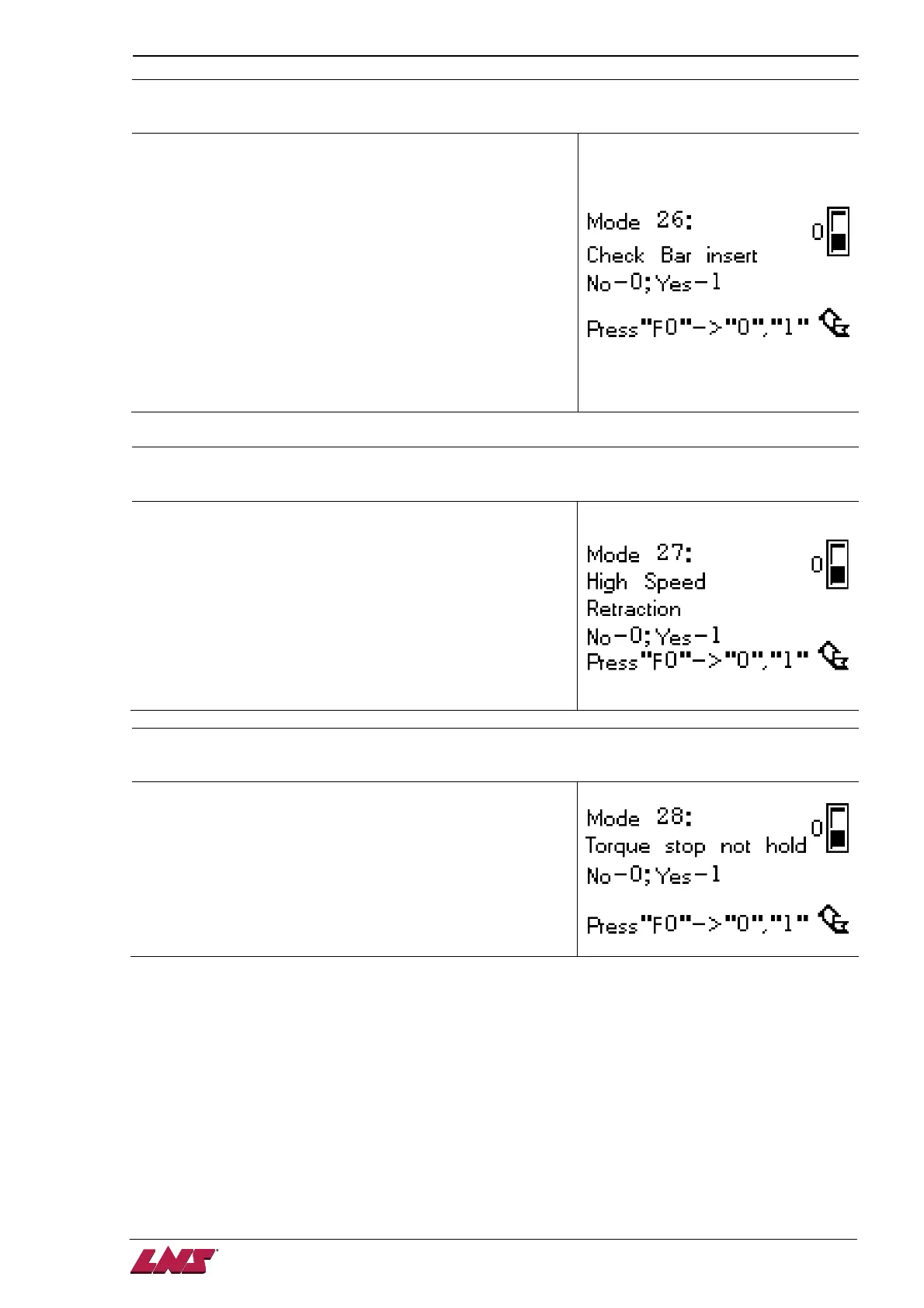
MODE 26
:
::
:
Bar insertion check setup
Define if the bar feed system activate the insertion check
function. If this check is activated, the bar feed system
proceeds 2 actions after insertion :
1) Move pusher 100mm forward. If the pusher cannot finish
this action within 5 seconds, an alarm e26 arises.
2) Move the pusher 100 backward and clamp the material
clamping device. If the bar stock is not existing, an alarm
e04 arises.
0 – Deactivate this function.
1 – Activate this function.
MODE 27
:
::
:
Pusher return speed setup
The bar feed system offers 2 speed options for the pusher
returning strokes proceeded during bar change cycle below :
1) The pusher returns for reloading a new bar stock.
2) The short pusher returns after FIRST FEED finished.
0 – Low speed
1 – High speed
MODE 28
:
::
:
Torque stop signal (A4) logic setup 2 of 2
Define how the bar feed system process this signal.
0 – The bar feed system holds this signal right after receive it
either the it’s continuous or a pulse until new bar stock
arrives TOP CUT position
1 – The bar feed system read and apply the signal as how it
sent from the lathe.



 To Next Page