Individual 40-55 - 19 -
User guide
Entering characters with on-screen keyboard
For certain functions, entering letters or characters is required, e.g., for
Web addresses (URLs) in the browser or for renaming archive entries.
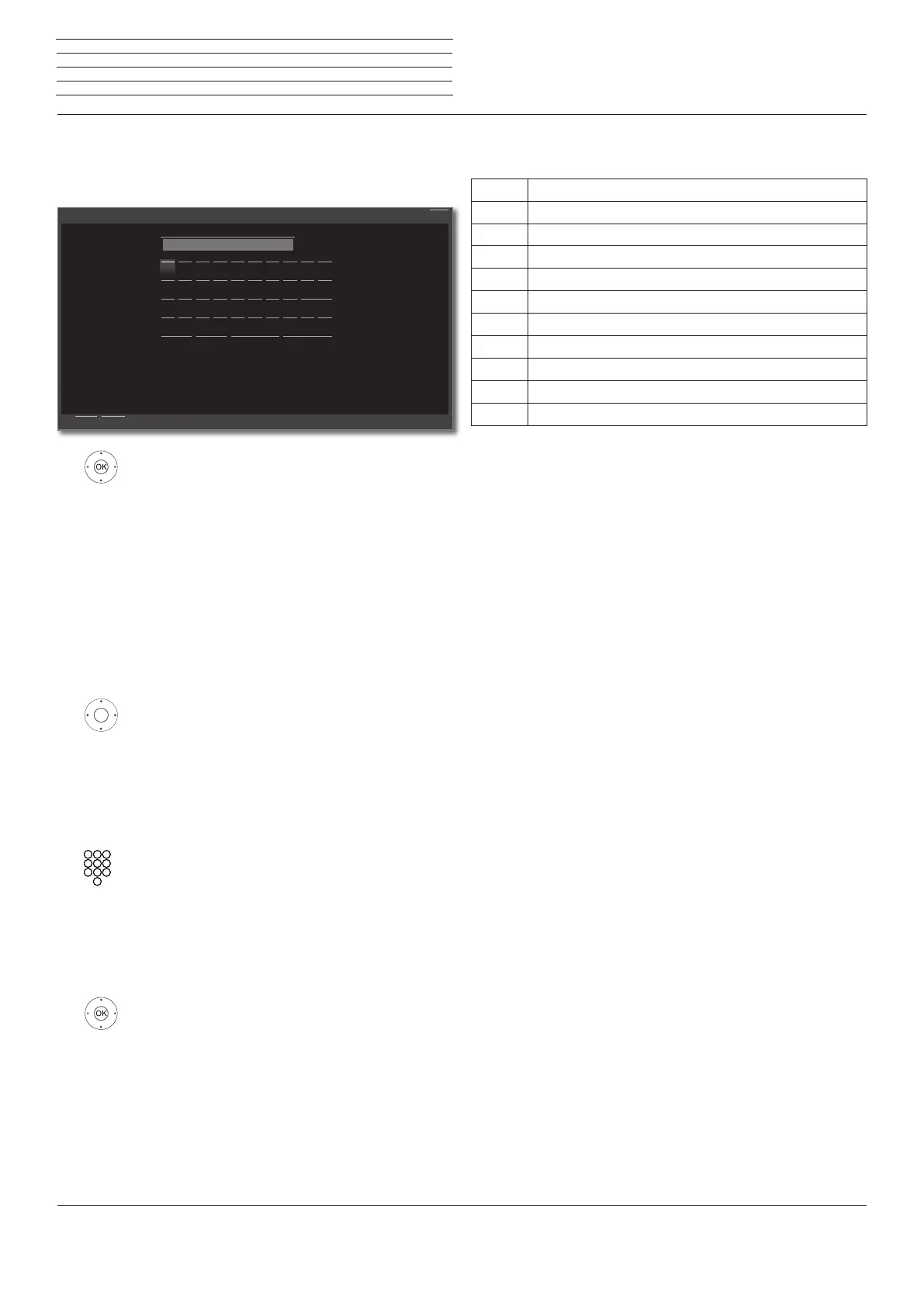
An on-screen keyboard appears for entering text.
3456 highlight character / on-screen button,
OK Adopt character.
For the selection of special characters select field
-/. several times briefly in rapid succession.
To conclude the entry:
3456 Mark Adopt,
confirm with OK.
Entry of characters by remote control
Alternatively to the on-screen keyboard you can also enter the desired
characters by means of the remote control (as with the keypad of a
mobile phone).
3456 Mark text entry field.
Under the 1st letter of the name you will see a line
indicating the current input position.
4 Input position one character to the right (also for
blanks).
3 Input position one character to the left.
Input the letters one after another. When using the
remote control, press the numerical keys just as on
a mobile phone keypad (0-9) until the desired symbol
is displayed. The available letters are printed on the
individual numeric buttons.
You find the exact key assignment in the character
table in the right column.
To conclude the entry:
3456 Mark Adopt,
confirm with OK.
Enter/change internet address
Back
CancelAdopt
Q
A
Y
1
W
S
X
2
E
D
C
3
R
F
V
4
T
G
B
5
Z
H
N
6
U
J
M
7
I
K
-/.
8
O
L
9
P
0
abc
http://www.loewe.de
Delete Cancel Adopt
Space
Table of characters for entering text by means of the remote
control
Key Characters (uppercase - lowercase)
1
[space] 1
2
A B C 2 Ä Æ Ã Å Ā À Á Ć Ç Č - a b c 2 ä æ ã å ā â à á ć ç č
3
D E F 3 Ė Ë Ē Ę Ê È É - d e f 3 ė ë ē ę ê è é
4
G H I 4 Ï Ī Į Î Ì Í - g h i 4 ï ī į î î ì í
5
J K L 5 - j k l 5
6
M N O 6 Ö O E Õ Ō Ô Ò Ó Ø - m n o 6 ń ñ ö o e õ ō ô ò ó ø
7
P Q R S 7 - p q r s 7
8
T U V 8 Ü Ū Û Ù Ú - t u v 8 ü ū û ù ú
9
W X Y Z 9 - w x y z 9
0
. 0 - / _ : + , ; ? ! = & # % ~ @ $ * ’ ( ) ” § \ { } [ ] < > ´ ` ^ |
n
General information on menu operation



 To Next Page