Individual 40-55 - 75 -
User guide
Web
Here you have access to multimedia content in the Internet (MediaNet)
as well as a high-quality web browser.
Calling the Web selection
HOME: Call Home view.
6 5 Mark Web,
OK call Web.
6 5 mark function,
OK call.
MediaNet
Under the menu item MediaNet you will find a
continually expanding platform for interactive TV
applications from the Internet.
All applications are optimised for use on the TV.
Browser
Call Web browser of the TV set.
For further information on the Web browser see
page 77.
Thus you open the Web-APP Portal.
MediaNet
Browser
MediaNet
Call MediaNet
WEB: Call MediaNet.
or
HOME: Call Home view.
3465 Select Web,
OK call.
65 Mark MediaNet,
4 call.
T
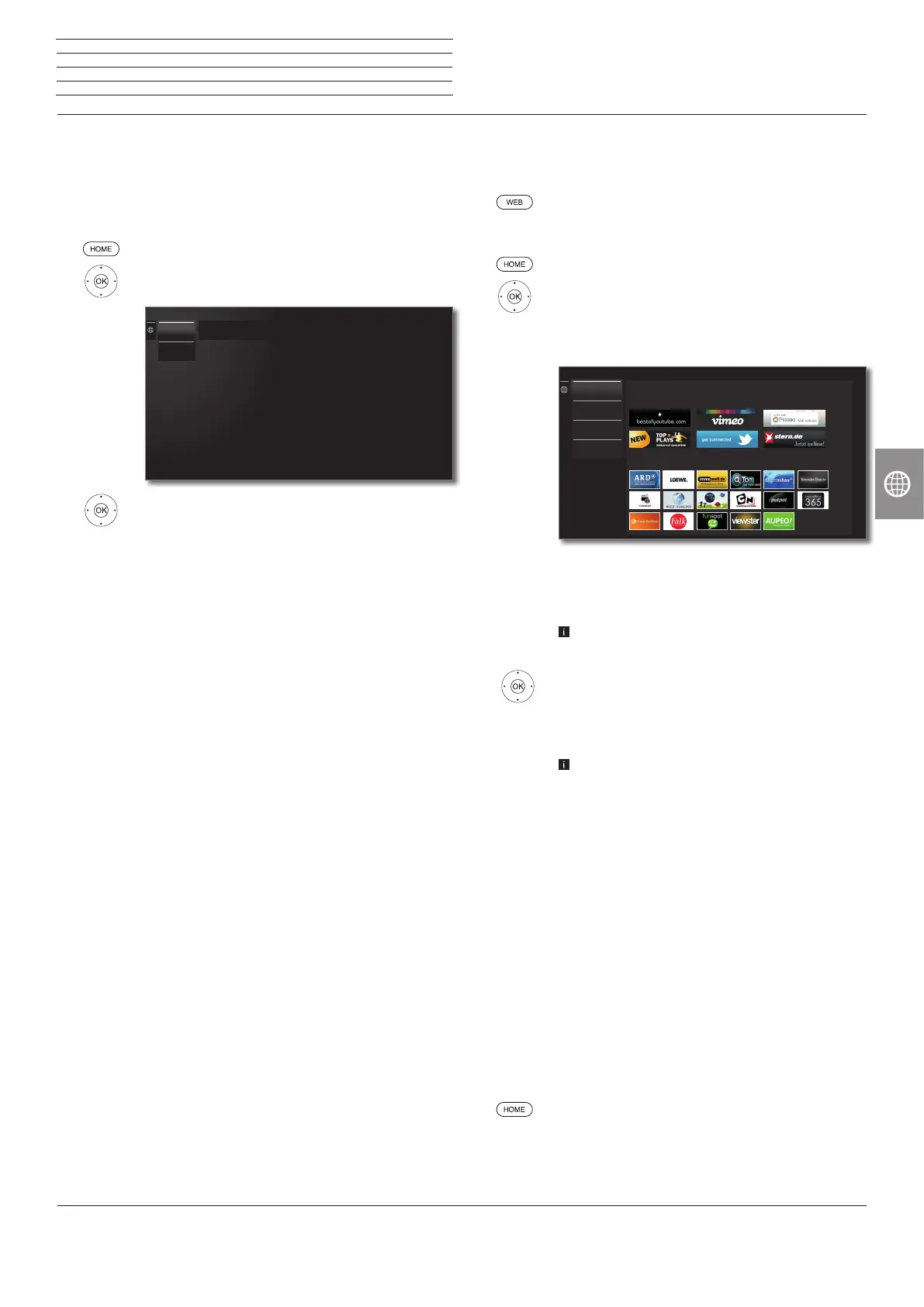
he upper portion of the MediaNet home screen
contains new online content.
The lower portion of the MediaNet home screen
contains Recommendations given by Loewe.
The given content may change from time to time
without prior notice.
56 Select Home,
OK go to the right to choose the online content.
3456 Mark the desired online content,
OK Display/play content.
The navigation within the various applications
depends on the provider.
Functions in the MediaNet home screen
Home
Moves to the right to choose the online content.
Browse
Under Browse you can list and call the online content
by subjects.
See page 76 for further information.
Settings In the Settings for MediaNet you can select coun-
tries, for example, to take advantage of various
services.
See page 76 for further information.
Imprint Providing the legally required information on the
parties responsible for the content.
Exit MediaNet
HOME: Call Home view and select another function.
New
Recommendations
MediaNet - Home
Home
Browse
Settings
Imprint
n
Web














 To Next Page