Individual 40-55 - 8 -
User guide
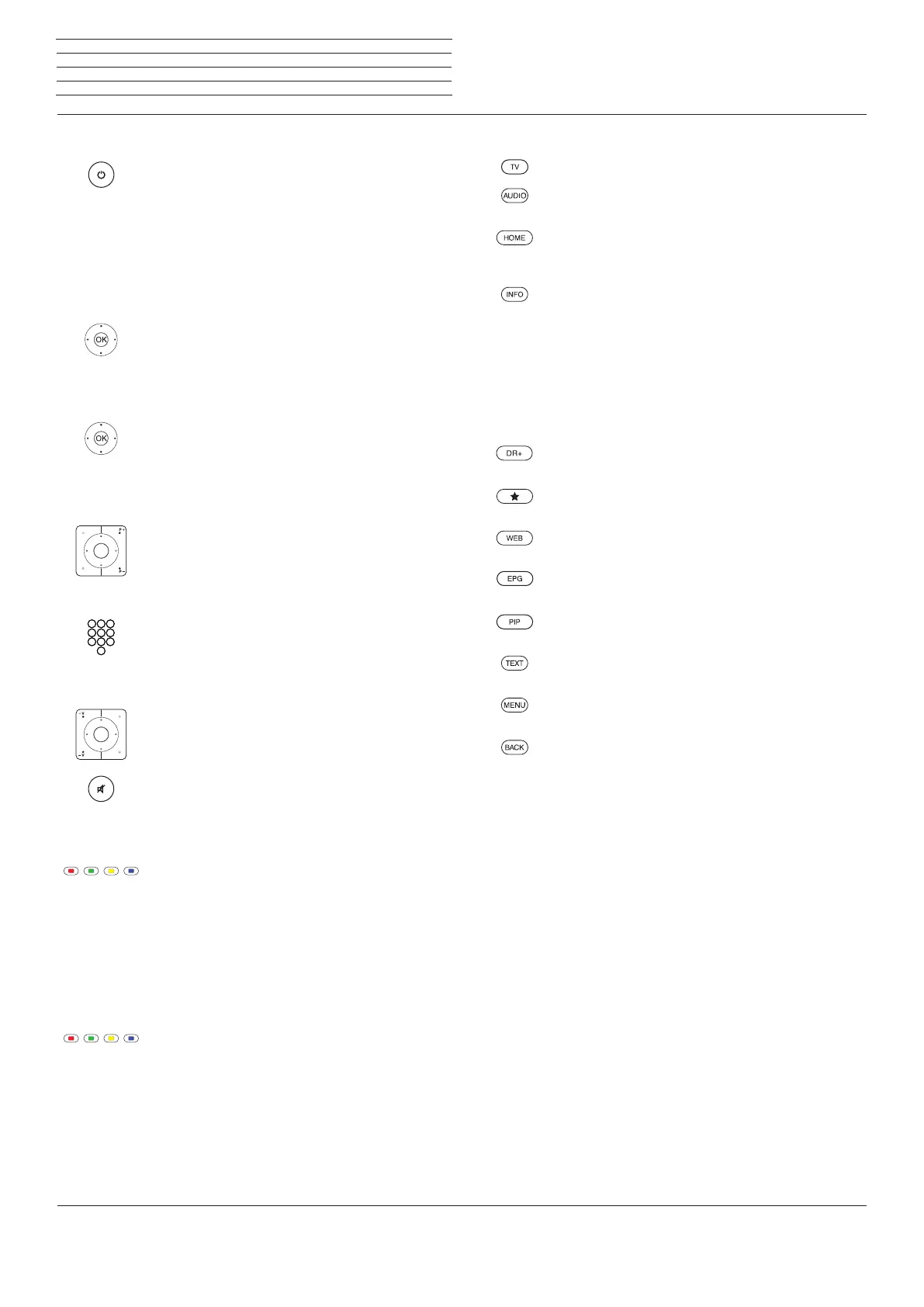
On/Off of the television set
Switching the TV set ON / switching it OFF in Standby
mode (Mains switch must be switched ON)
When TV set is switched on:
Press key long: Switch TV set and all CEC-capable
devices connected to the HDMI interfaces OFF to
Standby mode (System Standby).
General navigation
3465 Navigation on the user interface, select
objects
Select station
OK short: Call station list. Or:
OK long: Call expanded station list.
6534 Mark station,
OK switch over to station.
Or:
P+/P– Next/previous channel
Or:
Select station with numerical keys
Sound
V+/V– Increase/reduce volume
Sound on/off
Colour key function during TV operation
Red key: Start HbbTV or value-added network
service
Yellow key: Last selected station
Blue key: Call function list
(selection of language/sound,
subtitles or channel/video track)
Function of the coloured keys in audio mode
Green key: Switch screen ON/OFF
Yellow key: Last selected station in DVB radio mode
Key functions
TV operation
Call radio mode (standard assignment)
(1
Call Home view,
Select the operating mode or the function
During screen fade-in function: Info display,
info text appropriate to the content that can assist you
further, should you have any questions about your TV
device;
Without on-screen display: access status display.
With status display open and repeatedly pressing the
key call / close the detailed information on the broad-
cast
Open the DR+ archive
Add current object to Home favourites
Call MediaNet
On/Off EPG (Electronic Programme Guide)
On/Off PIP (picture in picture)
Turn Teletext/MediaText on/off
Call function list for the active operating mode
Pressing briefly: step / level back;
Pressing long: close all displays
n
Basic Functions
(1
The assignment of these keys can be changed (see page 133). The description refers to the standard setting.














 To Next Page